
In the previous article, we looked at how production orders support cost tracking and invoicing for project-based operations in D365 F&O
Understanding revenue recognition is essential for any project-driven organization, and Dynamics 365 Finance & Operations (D365 F&O) provides a structured and auditable way to manage it. In project environments, especially those involving long timelines, fixed deliverables, and milestone-based billing, the ability to recognize revenue accurately ensures compliance, financial clarity, and reliable project performance tracking.
In D365 F&O, revenue recognition applies specifically to Fixed-price and Investment projects. Time and Material (T&M) projects follow a different flow because revenue is recognized as transactions are billed. For the other project types, the system uses defined rules, cost templates, and estimate periods to calculate WIP, determine the percentage of completion, and post revenue accruals automatically.
Below is a clear, step-by-step breakdown of how revenue recognition works in Dynamics 365 F&O and how project teams can use it to maintain financial accuracy throughout the project lifecycle.
Setting Up Estimate Periods
Before D365 F&O can calculate or recognize revenue, the estimate periods must be configured. These periods define how often the system will run revenue recognition, monthly, weekly, or another frequency.
The Period type code determines the cycle and is shared with the Timesheet period setup.
Configuring the Cost Template
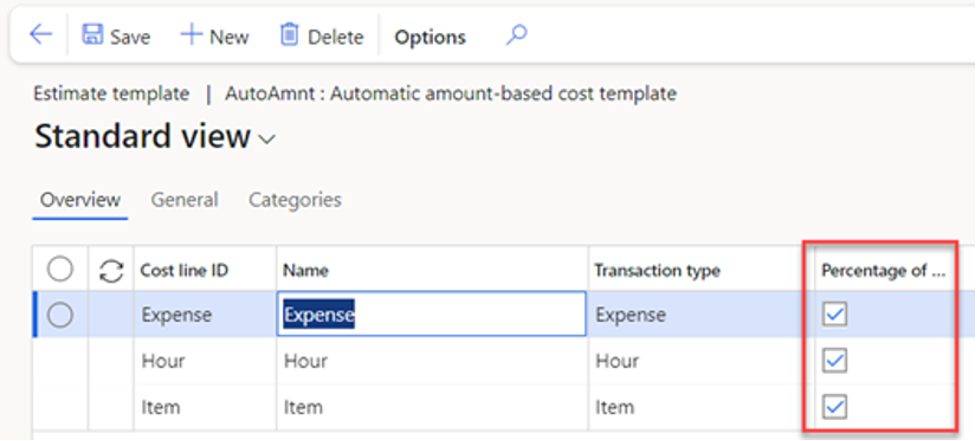
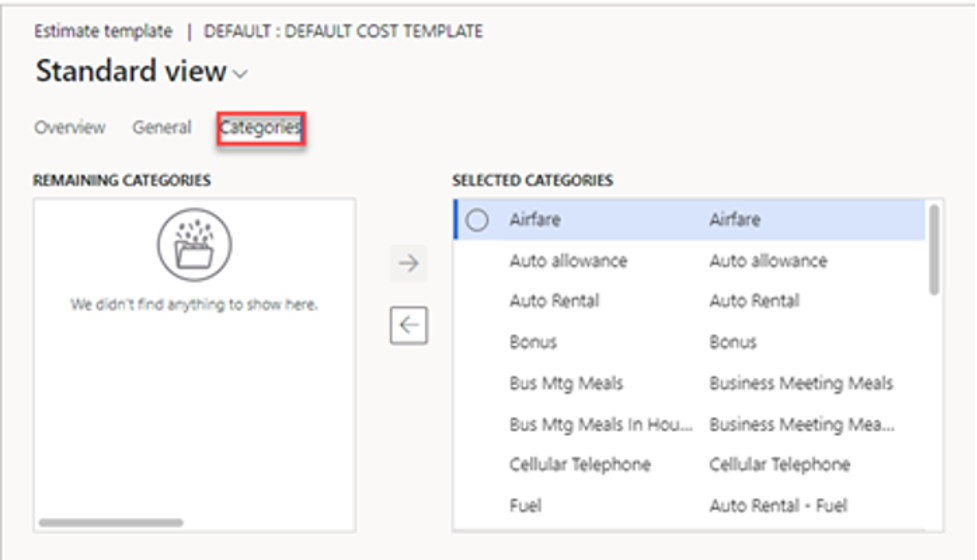
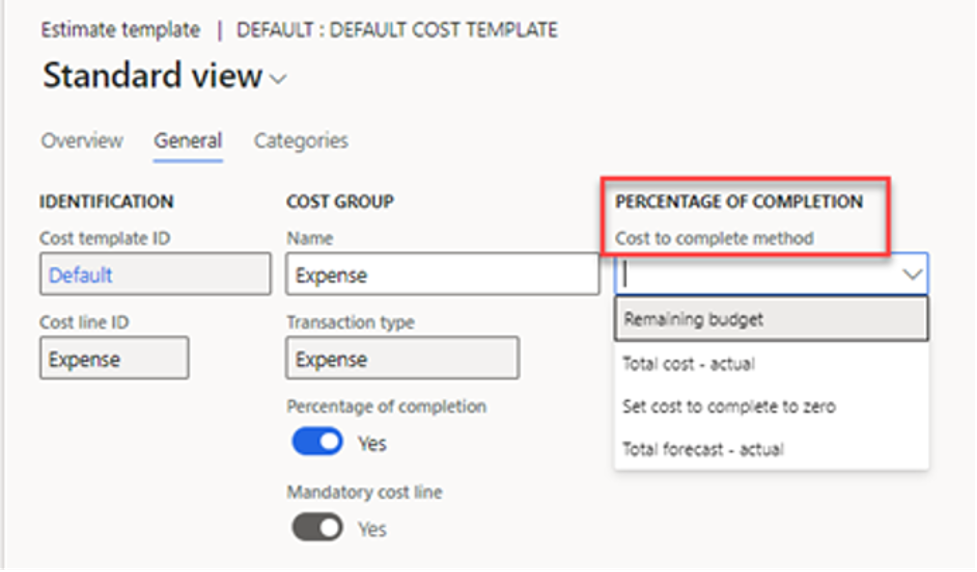
The Cost template is one of the most important setup components in revenue recognition. It defines:
- How costs are accumulated
- How they are evaluated during the recognition process
- Which method determines percentage of completion
A Cost template can be configured for different scenarios. D365 F&O allows the completion method to be:
- Manual or Automatic
- Based on Cost amount, Quantity, Straight line, or WBS percentage
Having multiple templates makes it easier to support different project types or recognition strategies within the same organization.
Calculating Percentage of Completion
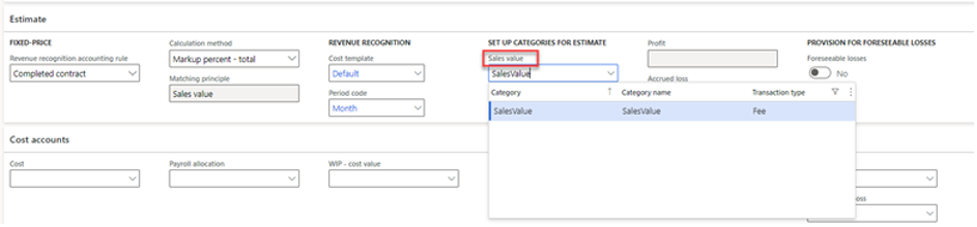
When a project uses a Fixed-price project group with the rule to recognize revenue by percentage complete, D365 F&O automatically evaluates the project’s progress using posted transactions and contract value.
This gives project managers visibility into how much of the project has been delivered financially, not just operationally.
Tracking Progress Through Project Groups
The Project group controls nearly everything related to revenue recognition:
- WIP accounts
- Accrual rules
- Completion methods
- Estimate frequency
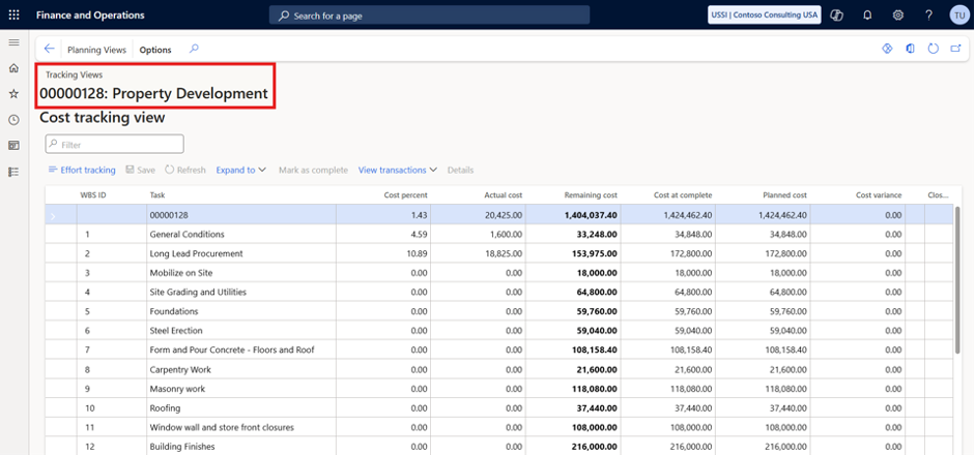
As actual costs accumulate, D365 F&O updates the cost percentage based on either:
- Budget vs. actual cost comparison, or
- Physical progress entered by the team
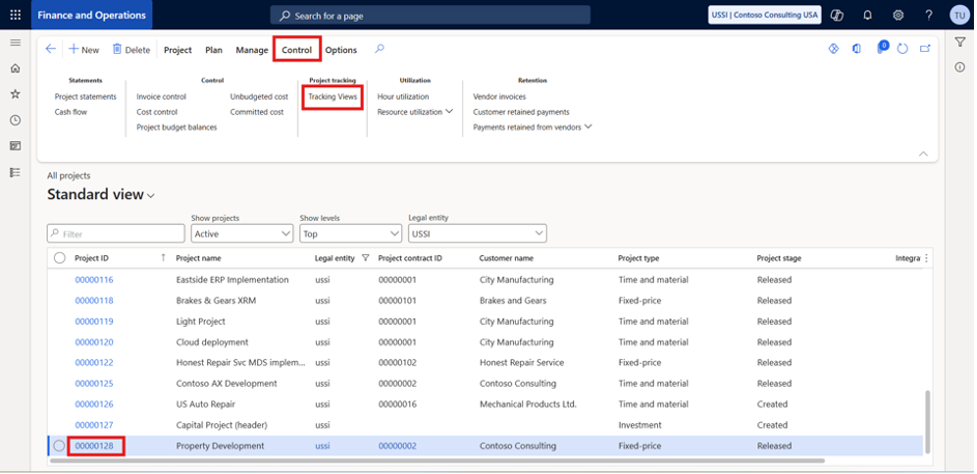
Users can view this on: Project > Control tab > Project tracking > Tracking views
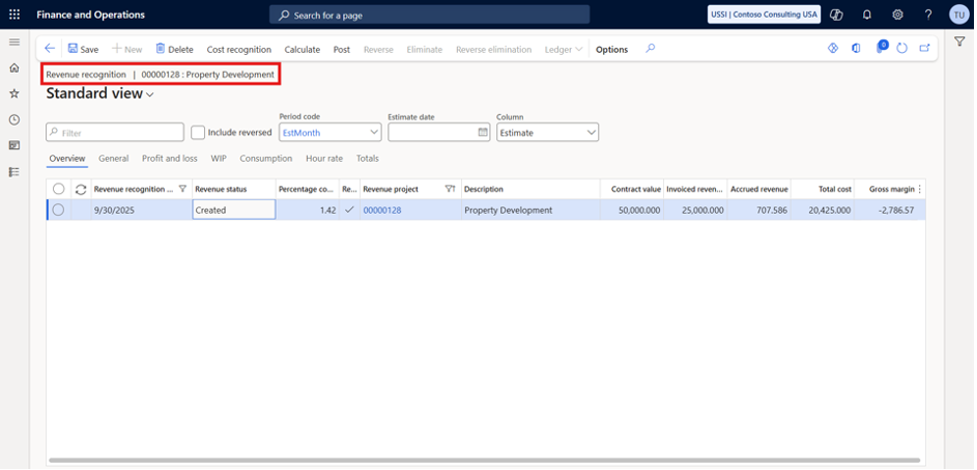
Running the Revenue Recognition Process
At the end of each estimate period, the organization is ready to run the revenue recognition calculation.
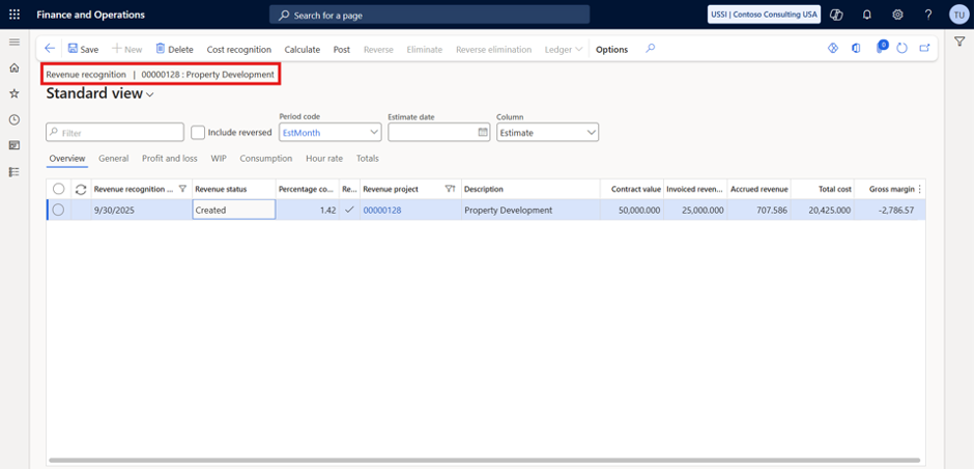
Navigation: Manage tab > Process > Revenue recognition
When creating the entry:
- The Period code defaults from the project group
- Users select the Revenue recognition date (typically period-end)
- The Cost-to-complete method and Completion method pre-populate but can be adjusted
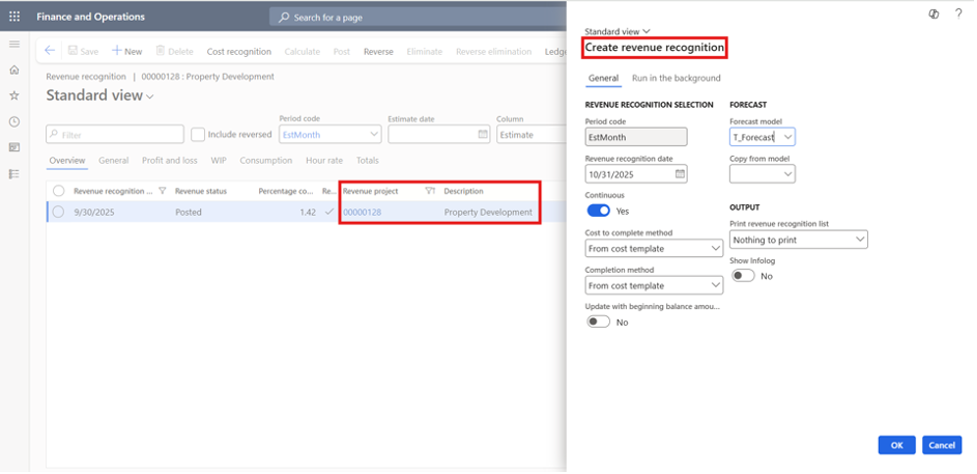
Once you select OK, D365 F&O:
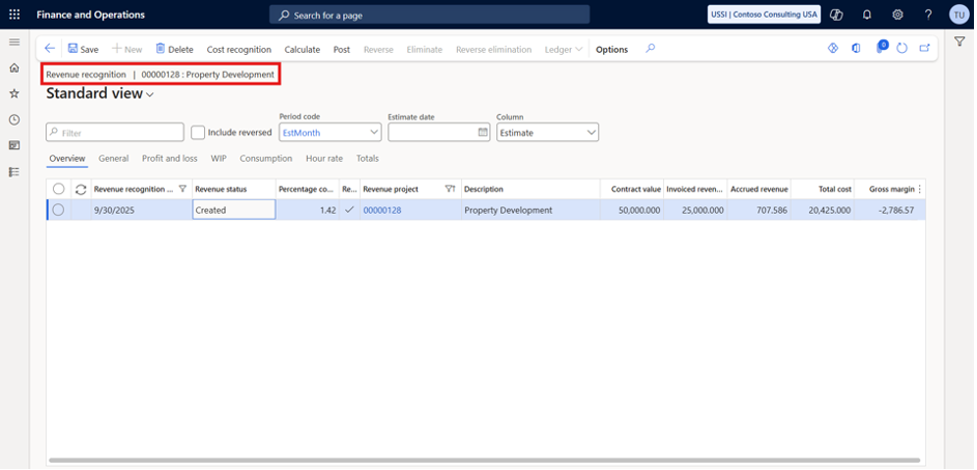
- Calculates the percentage of completion
- Updates WIP
- Determines recognized cost
- Accrues revenue for the period
Users can still override the percentage complete if needed, giving finance and project teams flexibility where judgment is required.
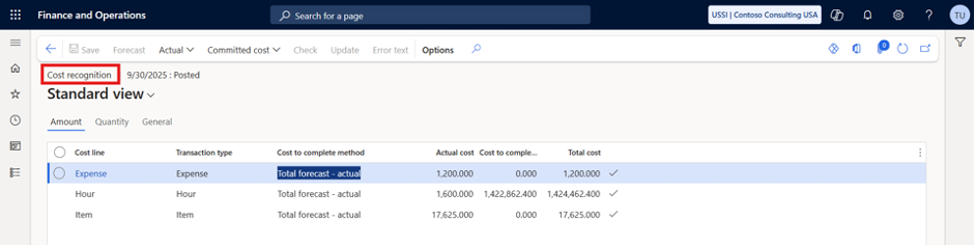
Understanding Cost Recognition
D365 F&O breaks down cost recognition into detailed cost lines so users can understand exactly how the system calculated:
- Total cost
- Recognized cost
- Remaining cost
- WIP movements
This transparency is key for audit trails and ensures that revenue recognition aligns with accounting standards.
Posting Revenue Recognition
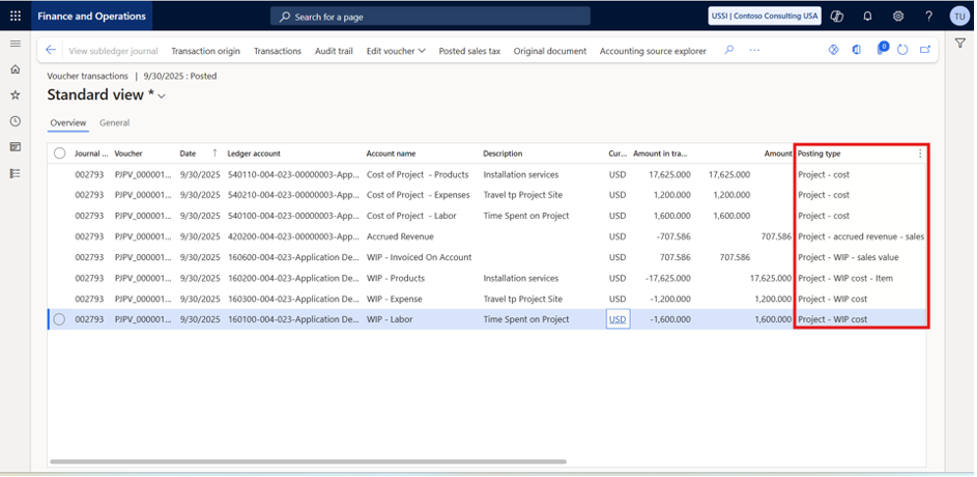
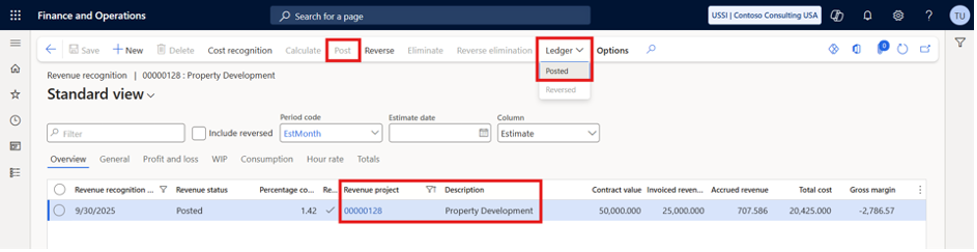
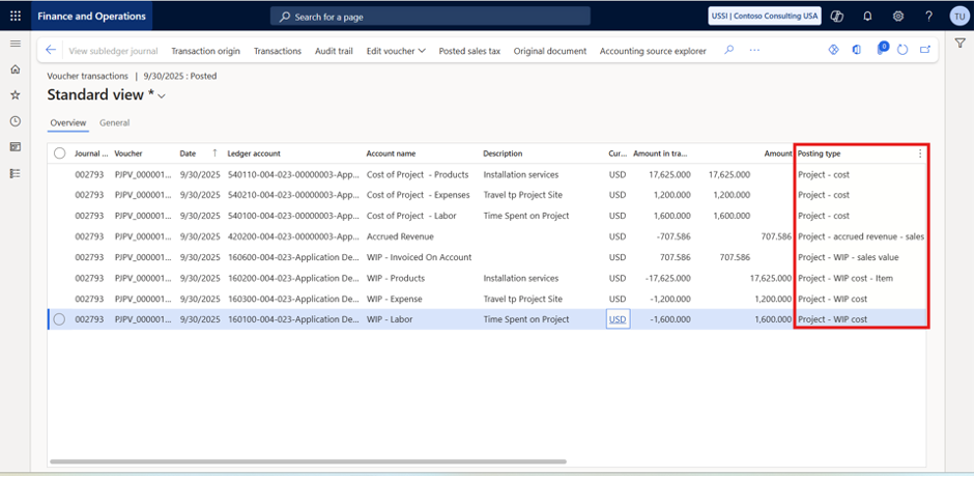
When the revenue recognition journal is posted:
- WIP is adjusted
- Actual labor cost is recorded
- Revenue is accrued based on the project’s progress
This completes the process for the period and ensures that both the income statement and balance sheet reflect the correct financial position of the project.
Conclusion
Accurate recognition is more than an accounting requirement; it’s essential for understanding the true financial performance of every project. With features that calculate progress, update WIP, and automatically recognize revenue, Dynamics 365 F&O gives project-driven organizations the control and visibility they need to stay compliant and profitable.
If you’re managing Fixed-price or Investment projects, taking the time to configure cost templates, estimate periods, and project groups correctly will set the foundation for consistent, reliable revenue recognition throughout the project lifecycle.
If you’re looking to streamline project accounting and strengthen your revenue recognition process in D365 F&O, reach out if you’d like expert support on your next D365 project.