
Cash flow is a critical tool for financial management. It provides visibility into liquidity and helps organisations understand how efficiently cash is moving through the business. Despite this, many organisations still rely on manual cash flow reports, often maintained across multiple spreadsheets, just to produce a basic liquidity forecast.
Microsoft Dynamics 365 Finance & Operations provides a built-in and efficient cash flow forecasting capability that reduces this manual effort. Cash flow forecasting in D365FO uses available transactional data across the application to generate an accurate forecast and also supports the inclusion of external data sources. This allows organisations to move away from spreadsheet-driven forecasting and toward a more automated, scalable approach, using modern financial management tools.
Cash Flow Forecasting Outputs
The cash flow forecasting feature provides multiple graphical views that help users understand current and projected cash positions. These views present cash balances, expected inflows and outflows, and forecast trends over time.
Some of the available outputs are shown below:
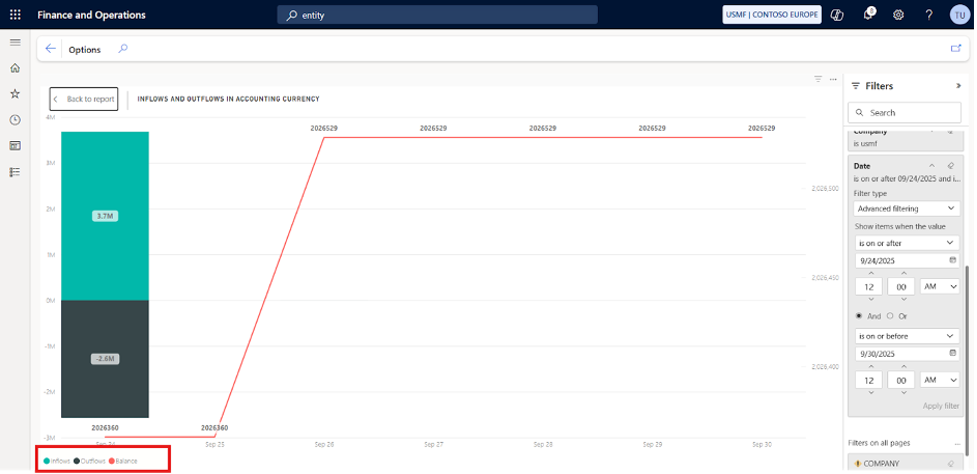
Cash Position Summary
This view provides a high-level snapshot of overall cash availability, combining current balances with projected movements to give a quick indication of liquidity. It can also be used as a reference point when reviewing a cash flow forecast sample during planning or analysis.
Cash Position
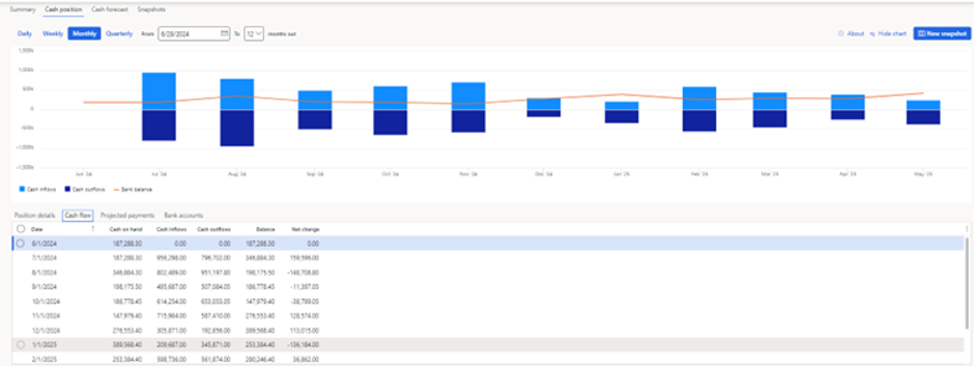
This view shows cash balances by account or entity, allowing users to see where cash is held and how balances are expected to change.
Cash Flow Forecast Summary
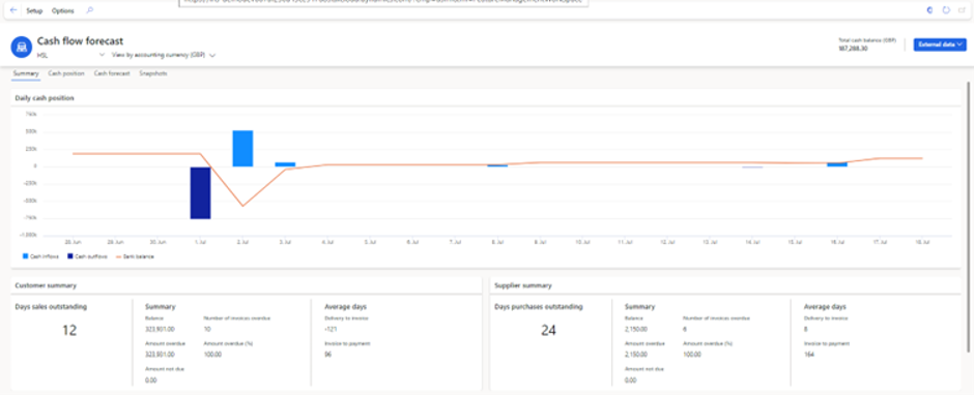
This view visualizes projected cash inflows and outflows over time, helping users identify upcoming trends, peaks, or potential liquidity gaps.
Configurations
The installation of Financial Insights add-ins is a prerequisite for using cash flow forecasting. Once Financial Insights is successfully installed, the application can be configured, and the Cash Flow Forecasting workspace becomes available.
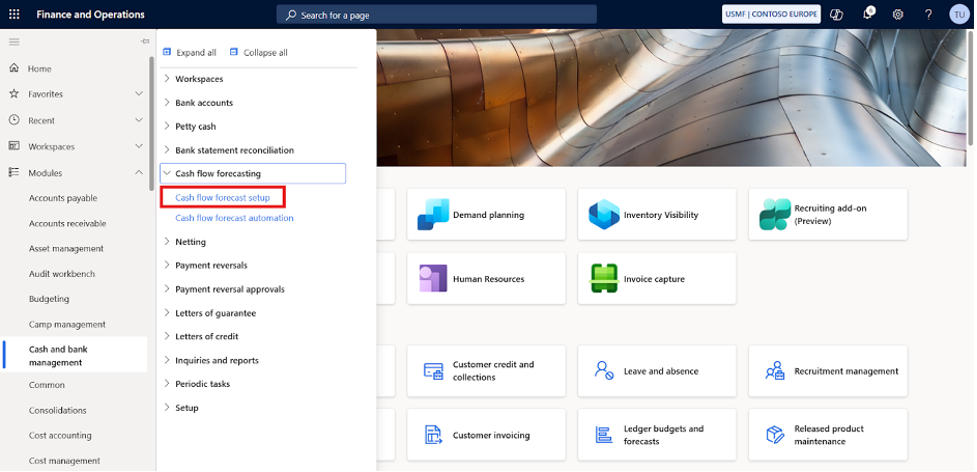
After installation, the cash flow forecast setup options appear under Cash and Bank Management.
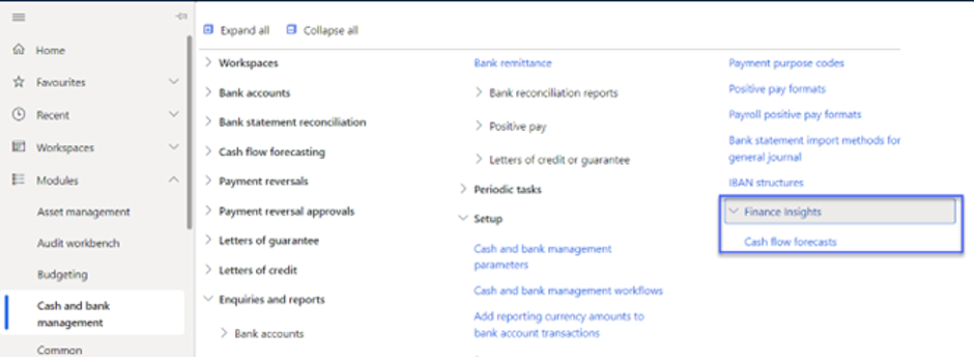
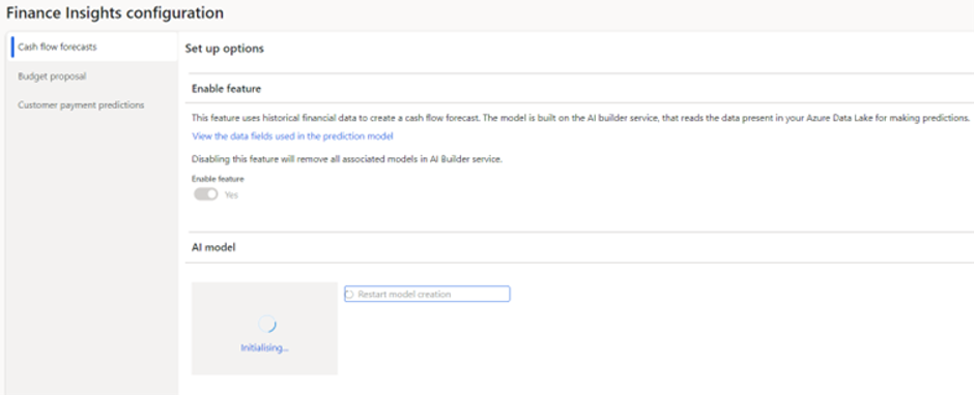
Under the Cash flow forecasts tab, the feature must be enabled for the AI Builder service, and the AI model must be initialized. The model works with multiple years of historical data to generate forecasts.
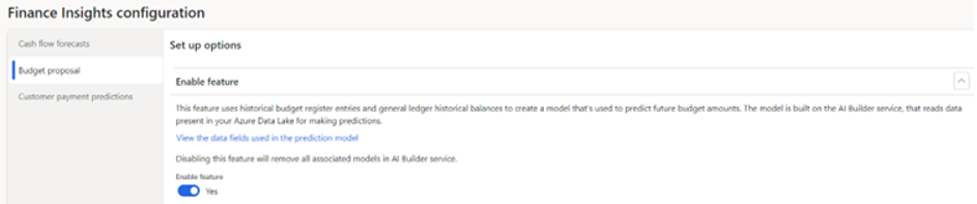
This configuration also requires enabling the use of historical budget register entries and general ledger balances so that future budget amounts can be predicted more accurately.
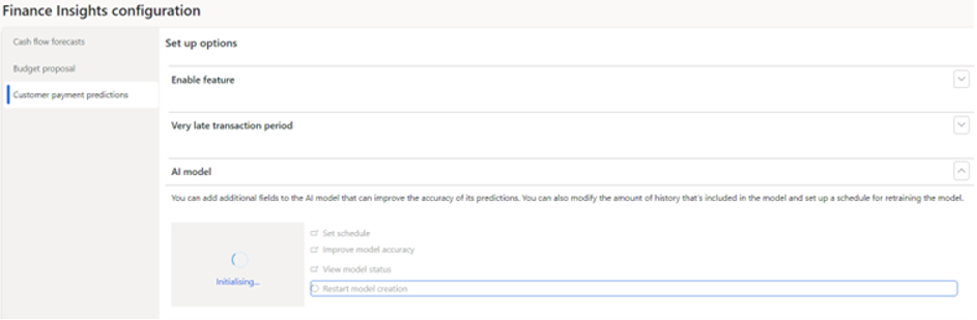
Customer payment predictions are supported through the Customer Payment Insights feature provided by Microsoft.
The following configurations must be completed under:
Cash and bank management module > Cash flow forecasting setup
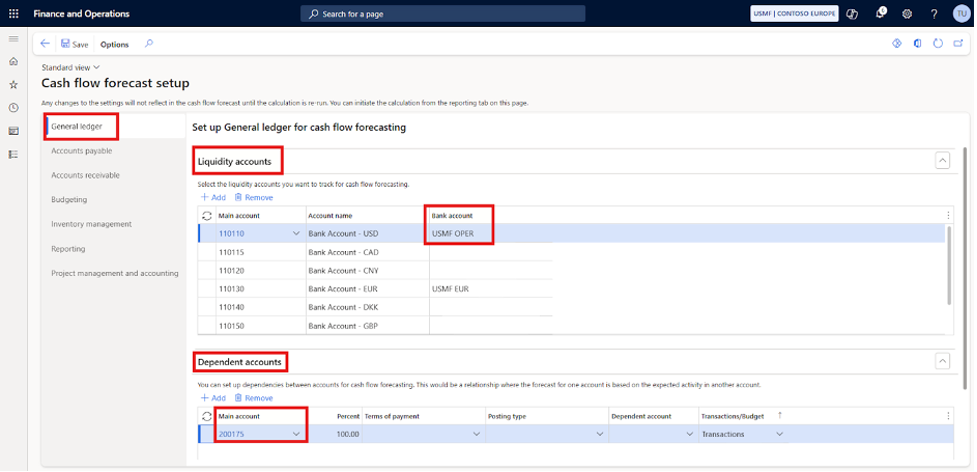
Liquidity Account Setup
One of the key setups for cash flow forecasting is the configuration of liquidity accounts. All cash and cash-equivalent main accounts must be mapped correctly so that cash inflows and outflows are reflected accurately in the forecast.
Identify and add all liquidity accounts that influence cash movement.
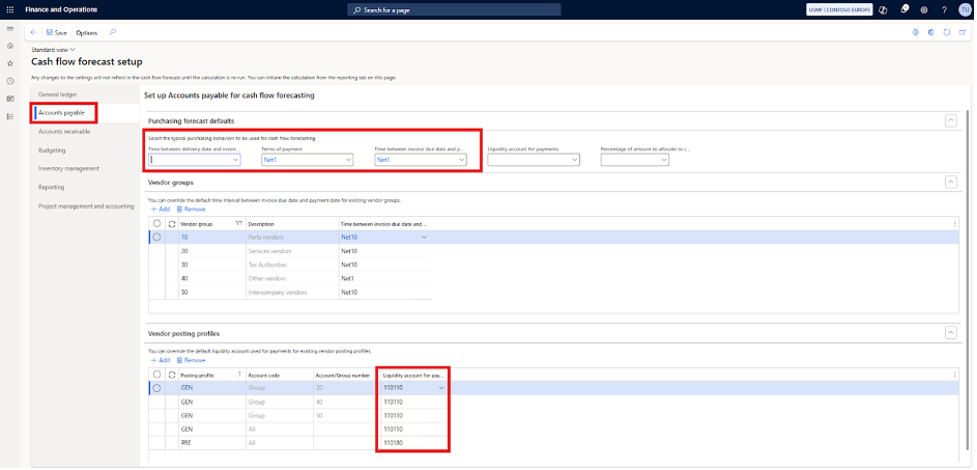
Purchase Ledger Setup for Cash Flow Forecasting
The next step is to configure the purchase ledger for cash flow forecasting. This setup determines how supplier invoices are considered once they pass their due date.
A default purchase ledger setup can be defined, or configurations can be created per vendor group.
Define the required parameters, vendor groups, and posting profiles that should be included in the cash flow forecast calculation.
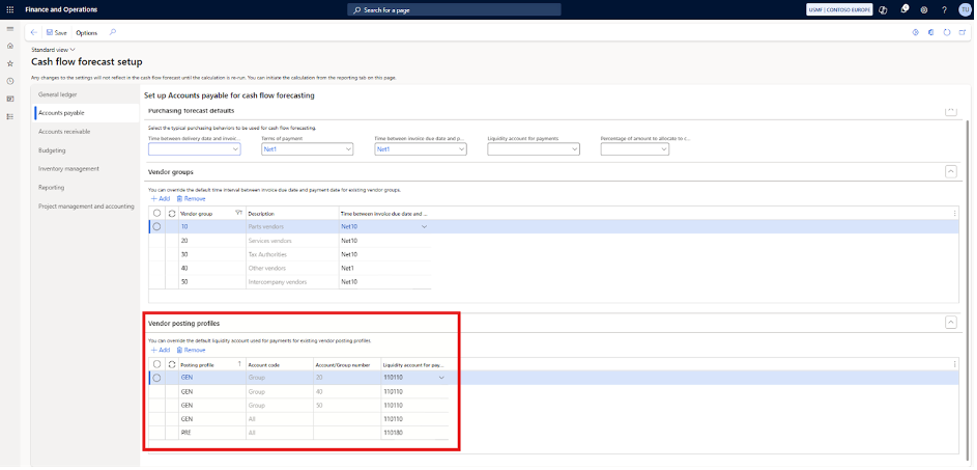
Liquidity accounts can also be configured at the posting profile or supplier group level. This setup overrides the default posting profile and is used specifically for cash flow forecasting purposes.
Sales Ledger Setup for Cash Flow Forecasting
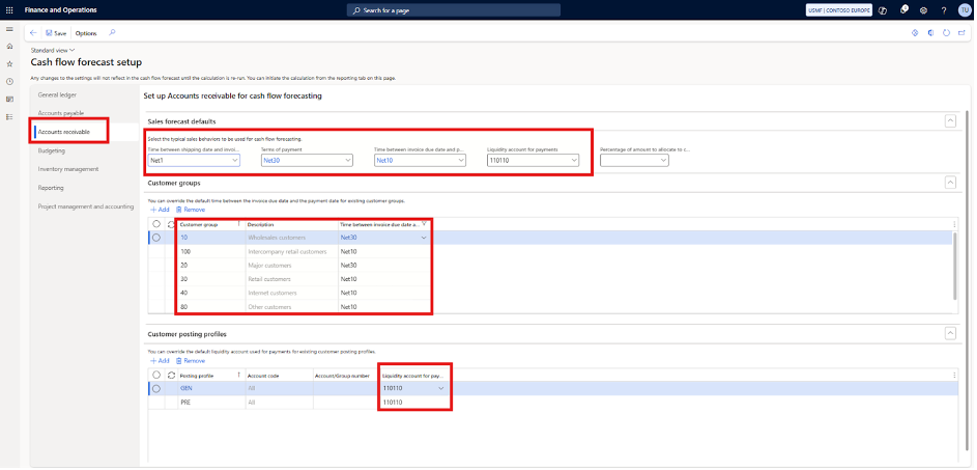
The sales ledger is configured in the same way as the purchase ledger for cash flow forecasting. This ensures that expected customer receipts are included in projected cash inflows.
Optional Configurations
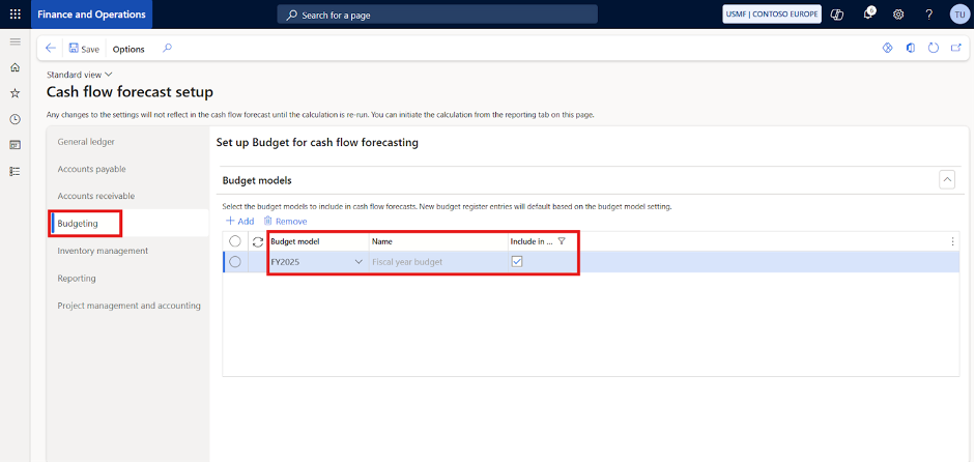
The budget, stock management, and financial dimensions setups are optional and depend on business requirements.
Specify the budget model that should be included in the cash flow forecast.
External Sources
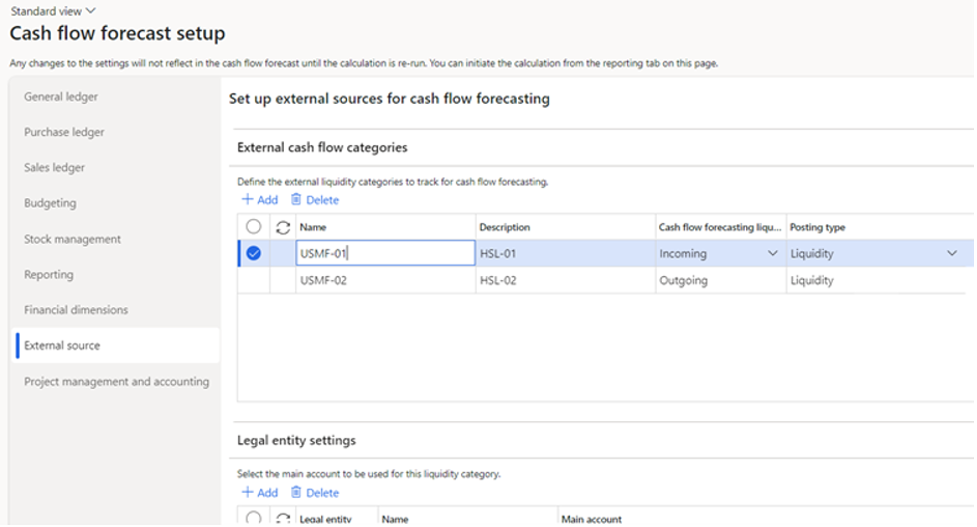
External sources are optional and provide a way to include data from outside Dynamics 365 Finance & Operations in the cash flow forecast.
Multiple external sources can be defined, and each external category must be mapped as either an Incoming or Outgoing cash flow.
Automation Job
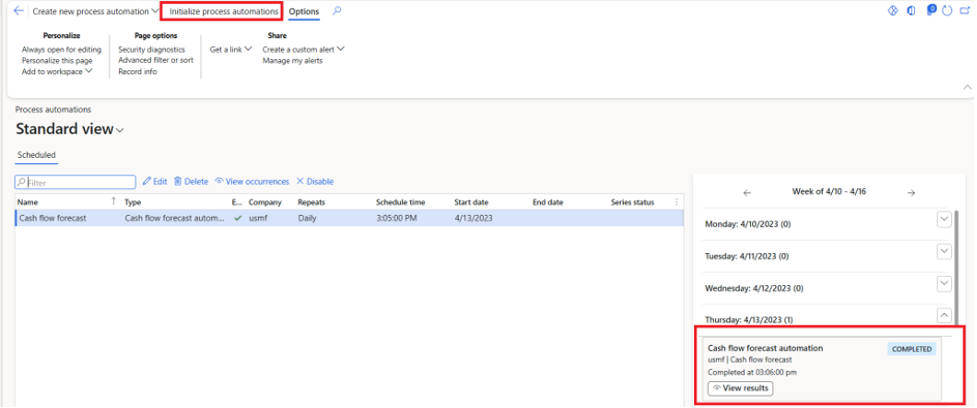
Cash flow forecasts are updated using an automation job. This job runs once per day by default, but can also be executed manually to view results immediately.
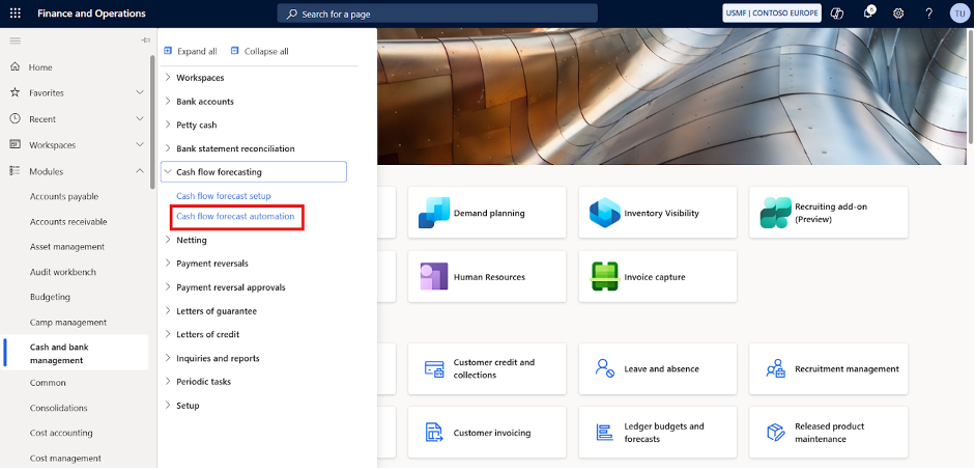
If a process automation does not already exist, a new one must be created for cash flow forecasting.
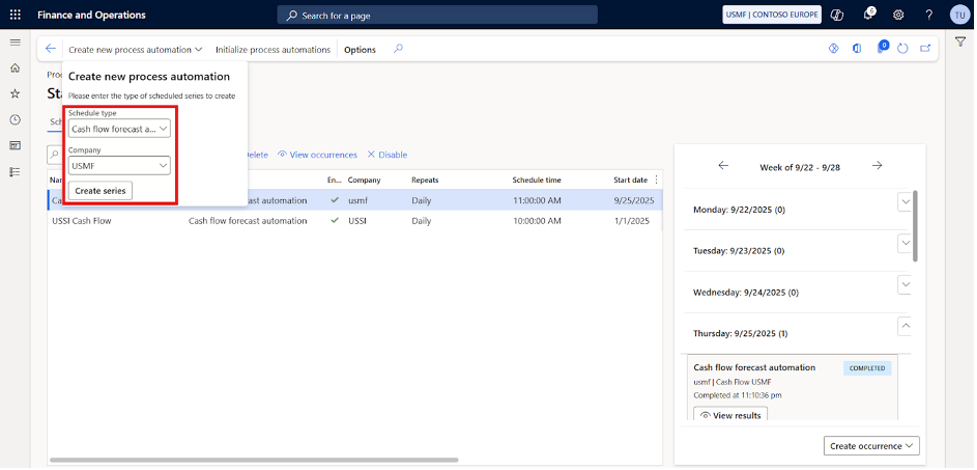
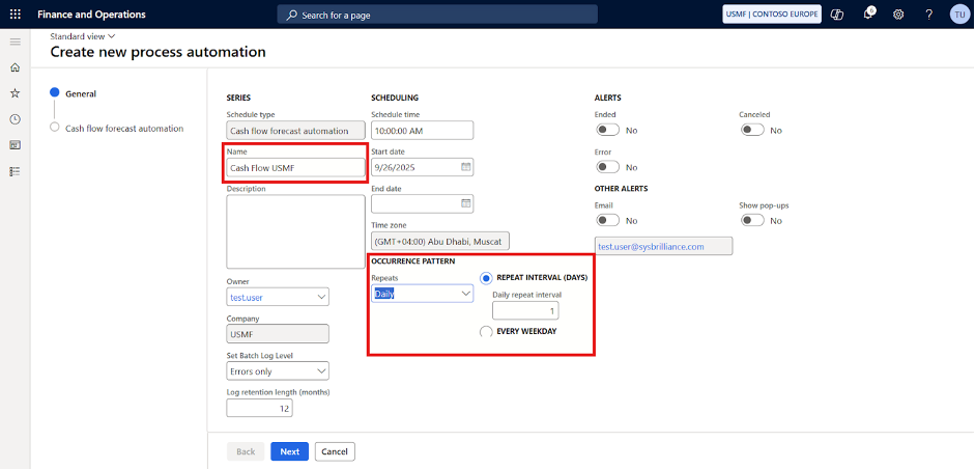
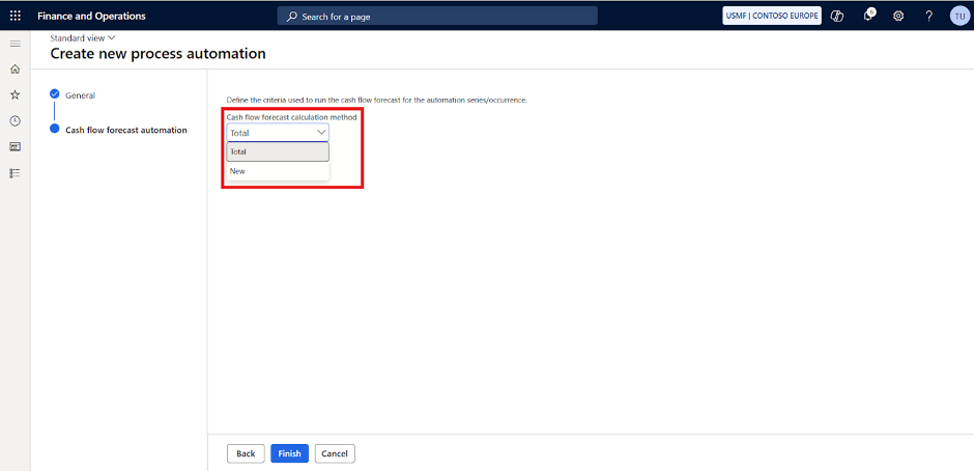
Two execution options are available:
- Total – Updates all transactions as of the current date
- New – Considers only newly posted transactions
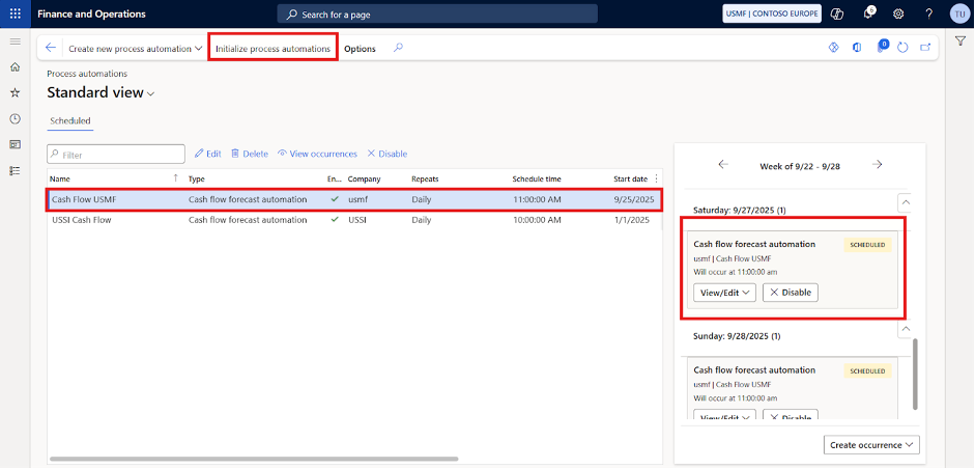
To execute the job immediately, edit the process automation and update the start time. Once the schedule is created, ensure the process automation is executed.
Cash Flow Forecast Workspace
The Cash Flow Forecast workspace provides a consolidated view of forecasted cash movements based on open transactions, budgets, and historical data. It allows users to review how different sources contribute to projected cash positions.
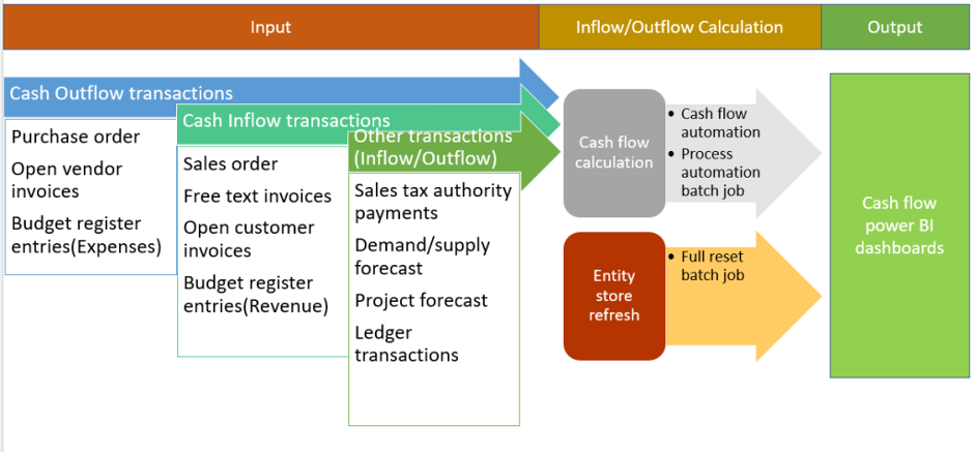
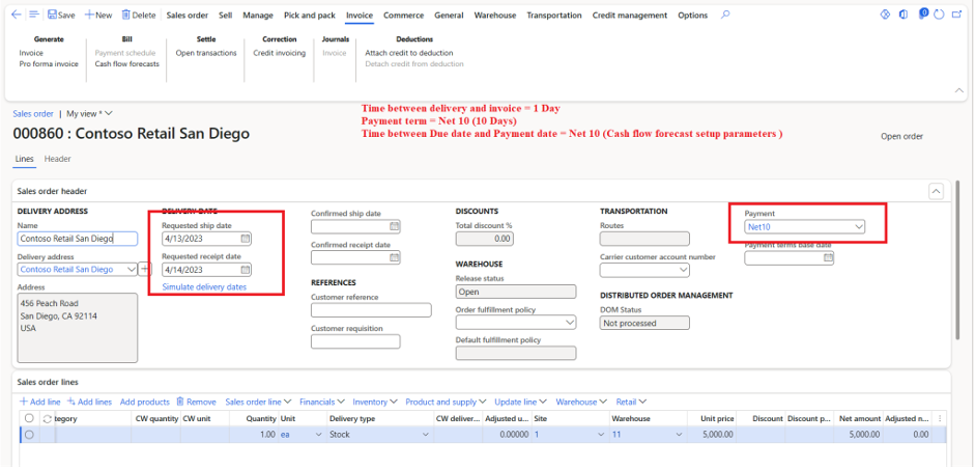
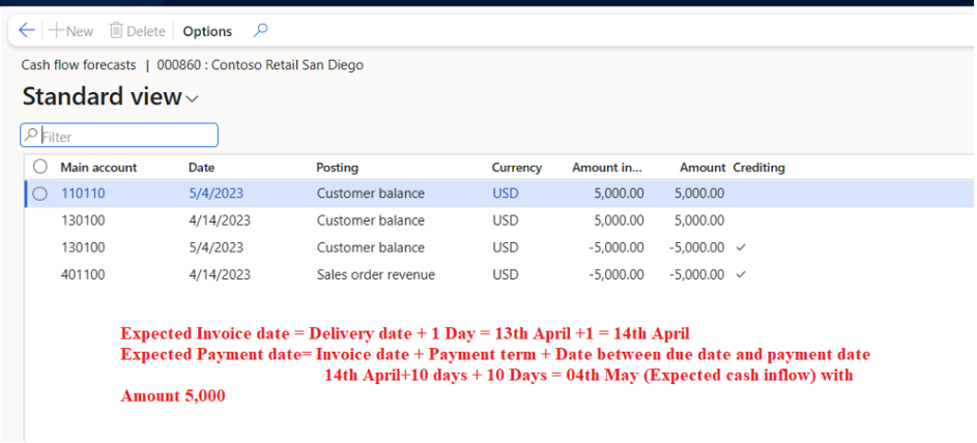
Cash Inflow Calculation (Sales Order)
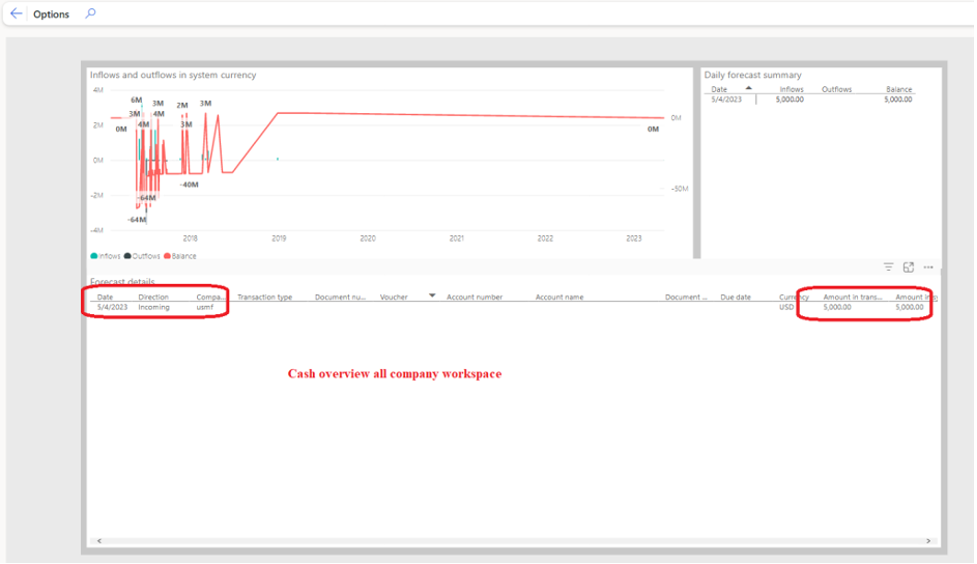
This view shows how expected customer payments from sales orders contribute to forecasted cash inflows, based on due dates and payment behaviour.
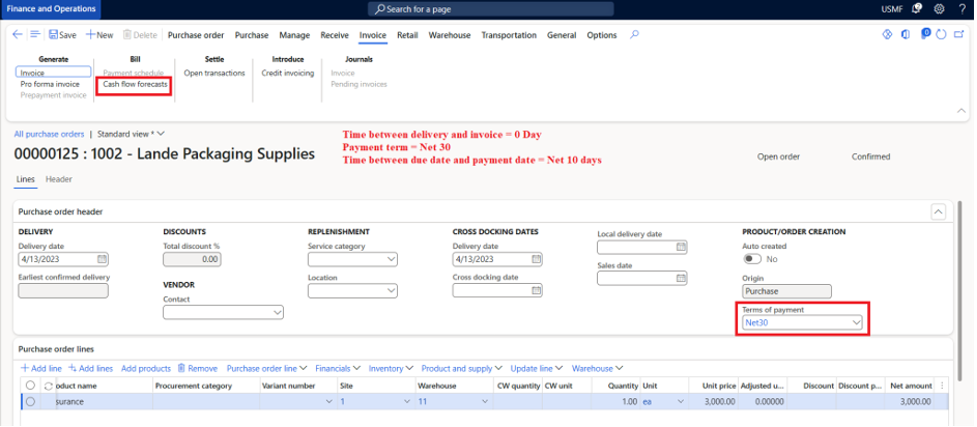
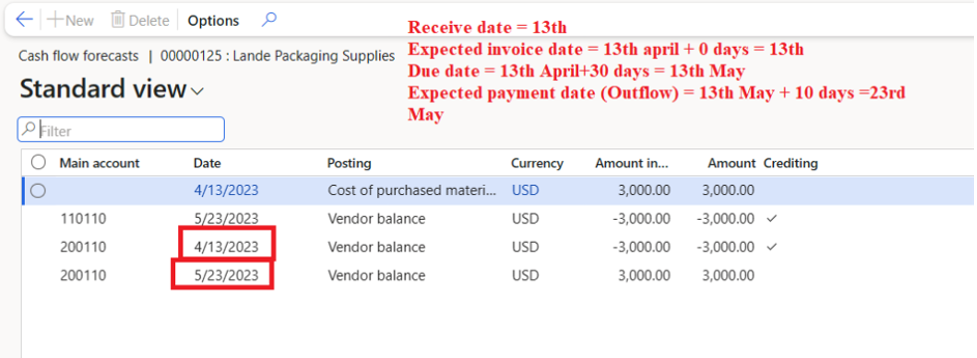
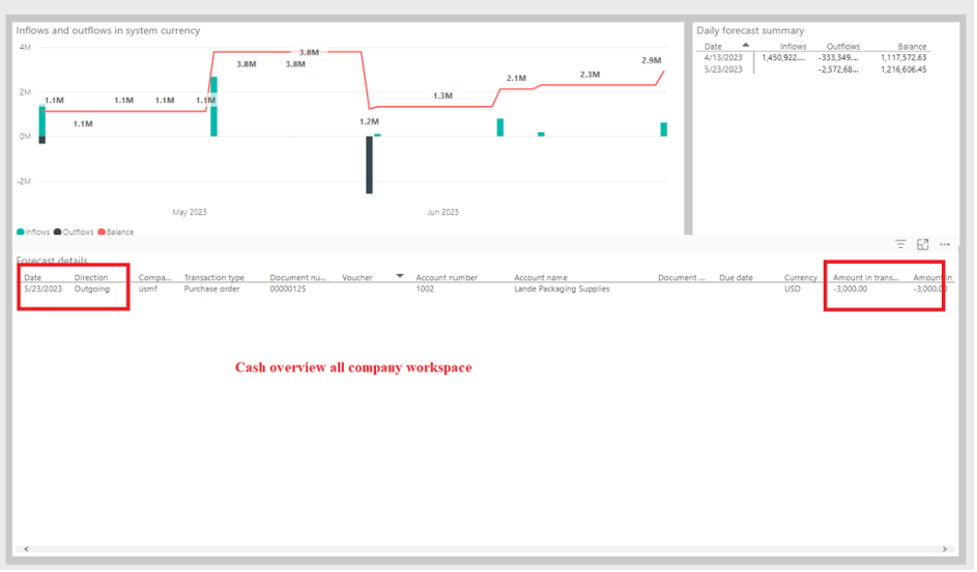
Cash Outflow Calculation (Purchase Order)
This view illustrates how supplier invoices and purchase orders are reflected as forecasted cash outflows, helping users understand upcoming payment obligations.
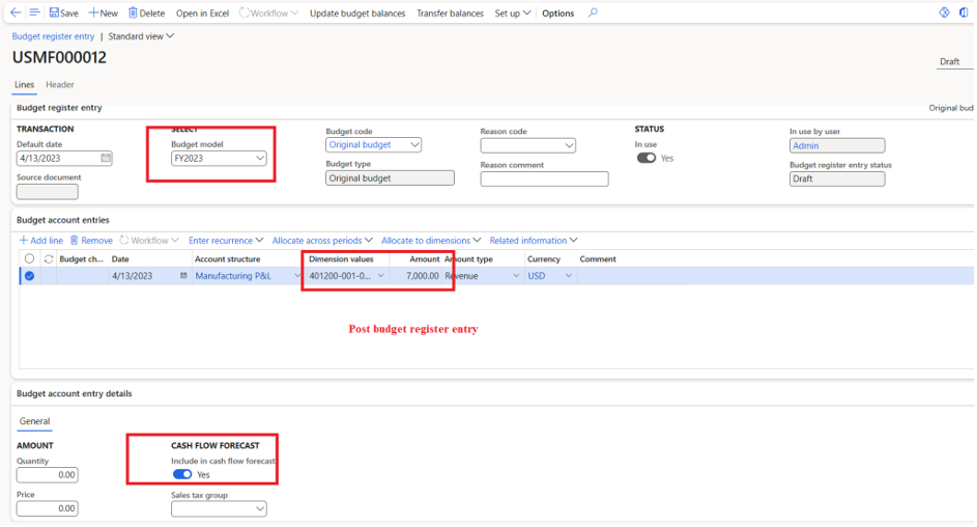
Cash Inflow Using Budget Register Entry
This view displays forecasted cash inflows derived from budget register entries, allowing planned or expected income to be included in the overall cash forecast.
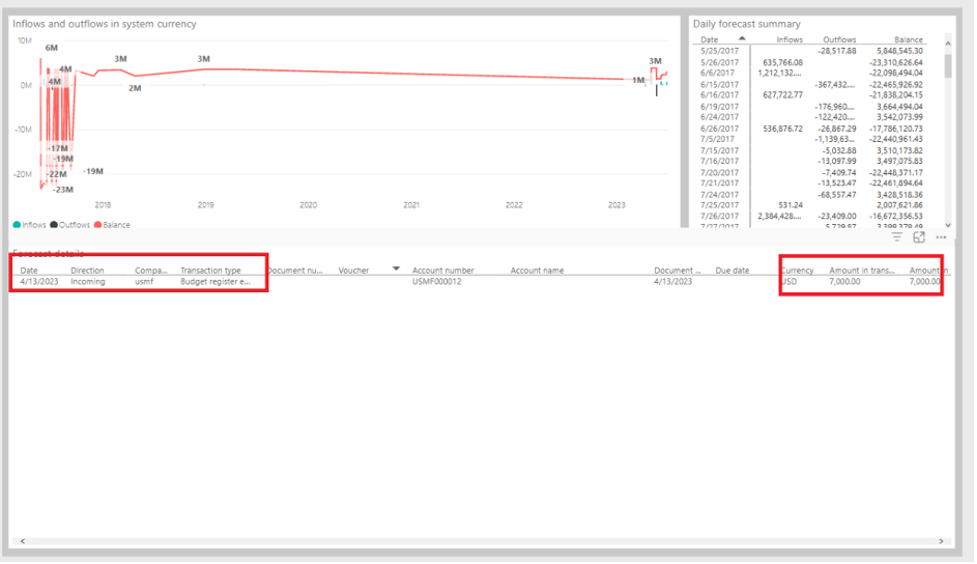
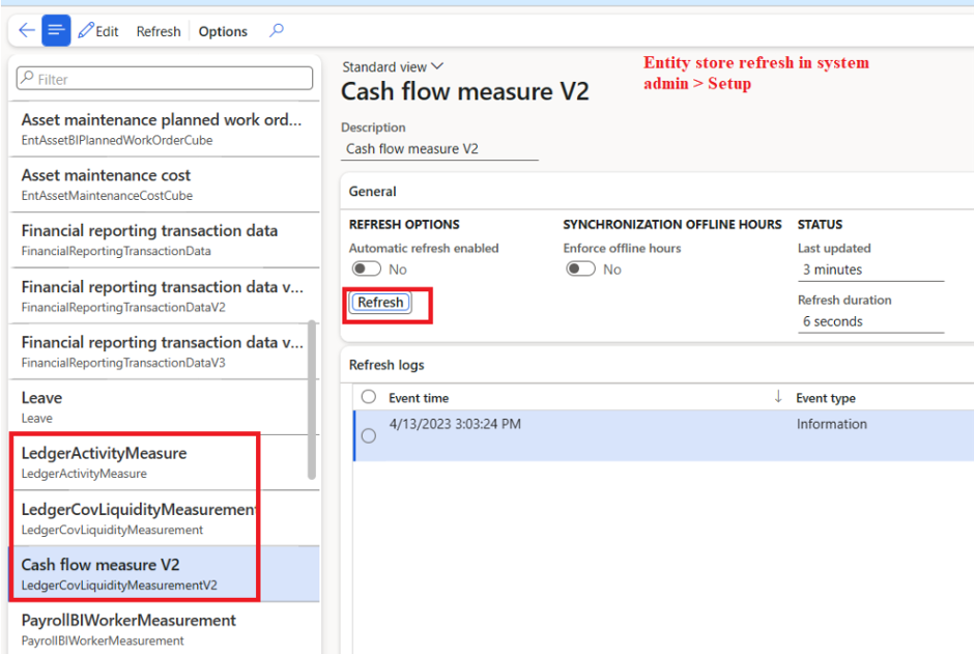
To view cash flow forecast reports in Power BI, ensure that the process automation has completed successfully and that the entity store has been refreshed.
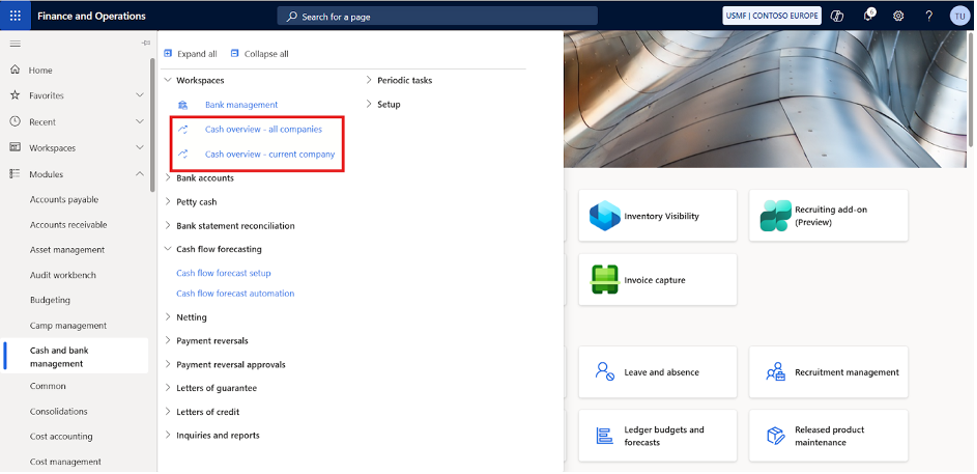
Cash Overview Workspace
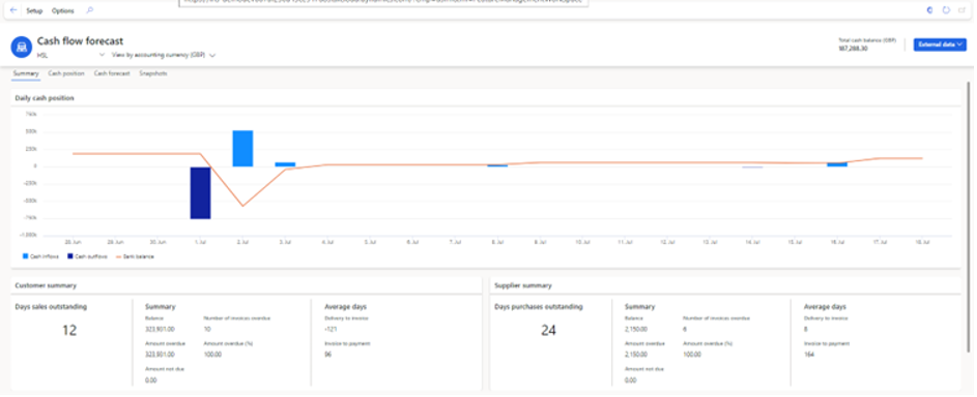
The landing page displays a daily cash flow forecast graph supported by cash inflows and cash outflows. The summary below the graph shows Days Sales Outstanding (DSO) and Days Payable Outstanding (DPO) along with their summaries.
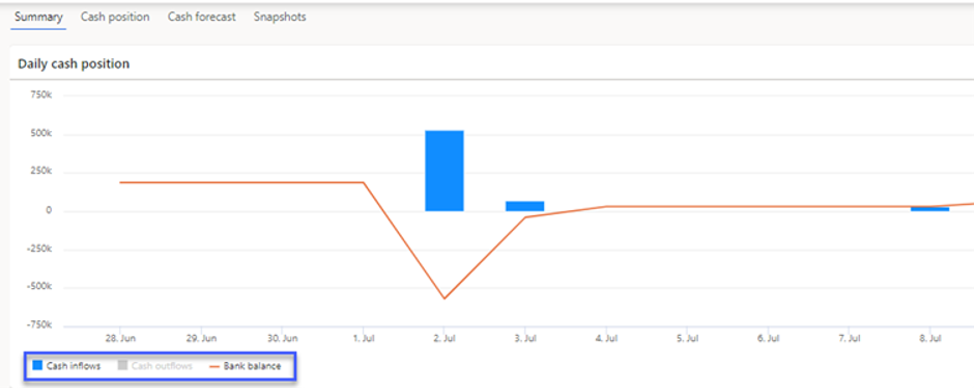
Clicking the legend below the graph allows users to enable or disable individual bars or lines based on their selection.
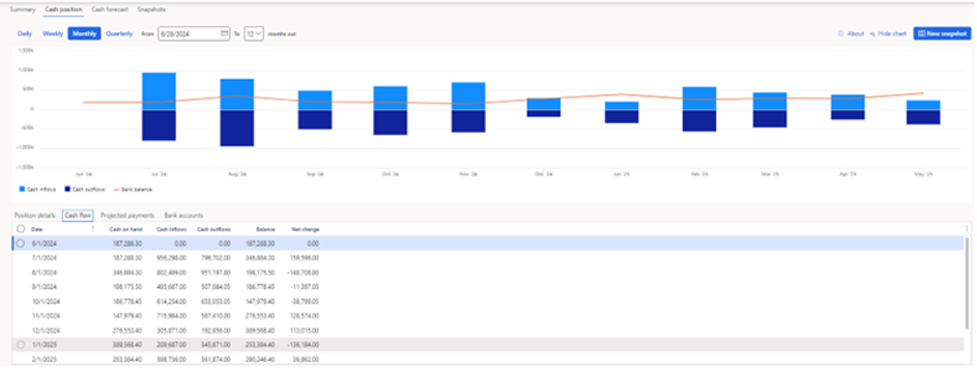
The lower section of the landing page displays a summary of liquidity accounts. The Cash Position tab provides a summarised view of cash position data, which can be viewed daily, weekly, monthly, or quarterly. The table beneath the graphs summarises projected payments and bank account positions.
Business Value of Cash Flow Forecasting
Organisations often invest significant time and effort in forecasting at both corporate and business levels. Much of this effort is spent on low-value tasks such as collecting, reconciling, and manipulating spreadsheet data rather than analysing insights.
While spreadsheets remain important for finance and treasury teams, automating cash flow forecasting can reduce manual effort by up to 90% compared to spreadsheet-based forecasting. Automation also enables organisations to scale and adapt their forecasting processes as the business grows and evolves, strengthening overall financial management
Final Outcome
Cash flow forecasting in Dynamics 365 Finance & Operations works best when it reflects how your business actually operates, not just how data is stored in the system. When the right accounts, ledgers, automation jobs, and data sources are aligned, the forecast becomes a practical planning tool rather than a static report.
If you’re setting this up for the first time, refining an existing configuration, or trying to move away from spreadsheet-driven forecasting, Sysbrilliance can help. The team works with finance and IT teams to configure cash flow forecasting, validate results, and ensure the output supports real decision-making, not just compliance or reporting.
