

In this post, I’ll walk you through a straight-to-the-point performance technique that can deliver dramatic speed improvements for complex queries in FinOps. By combining the Dynamics 365 Finance and Operations Trace Parser with SQL Server’s Display Execution Plan, you can pinpoint exactly which queries are hurting performance, uncover missing indexes, and see—in green and white😄—the percentage of cost SQL Server says you’ll save by adding them.
No magic, No fluff. Just a clean, repeatable process:
Note: This assumeS that the query is well designed and optimized. This trick won’t fix slow-by-design queries.
- Analyse the trace collected from the slow part in the system.
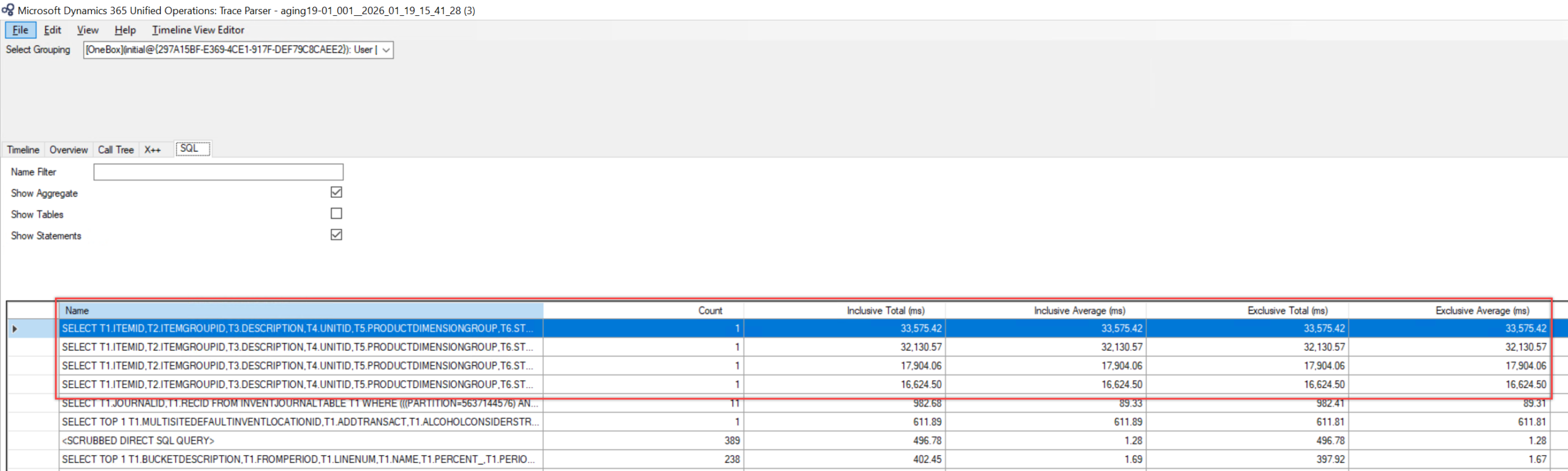
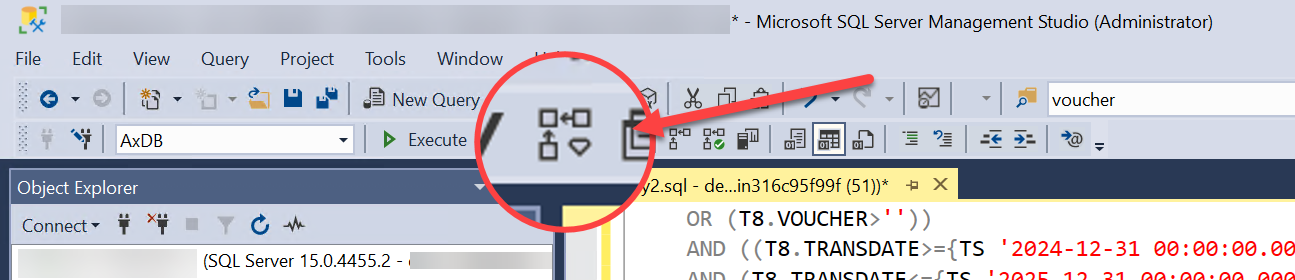
- Copy-paste the time-consuming queries to SQL Server and Run the Display Estimated Execution Plan and let it tell you what index needs to be added.
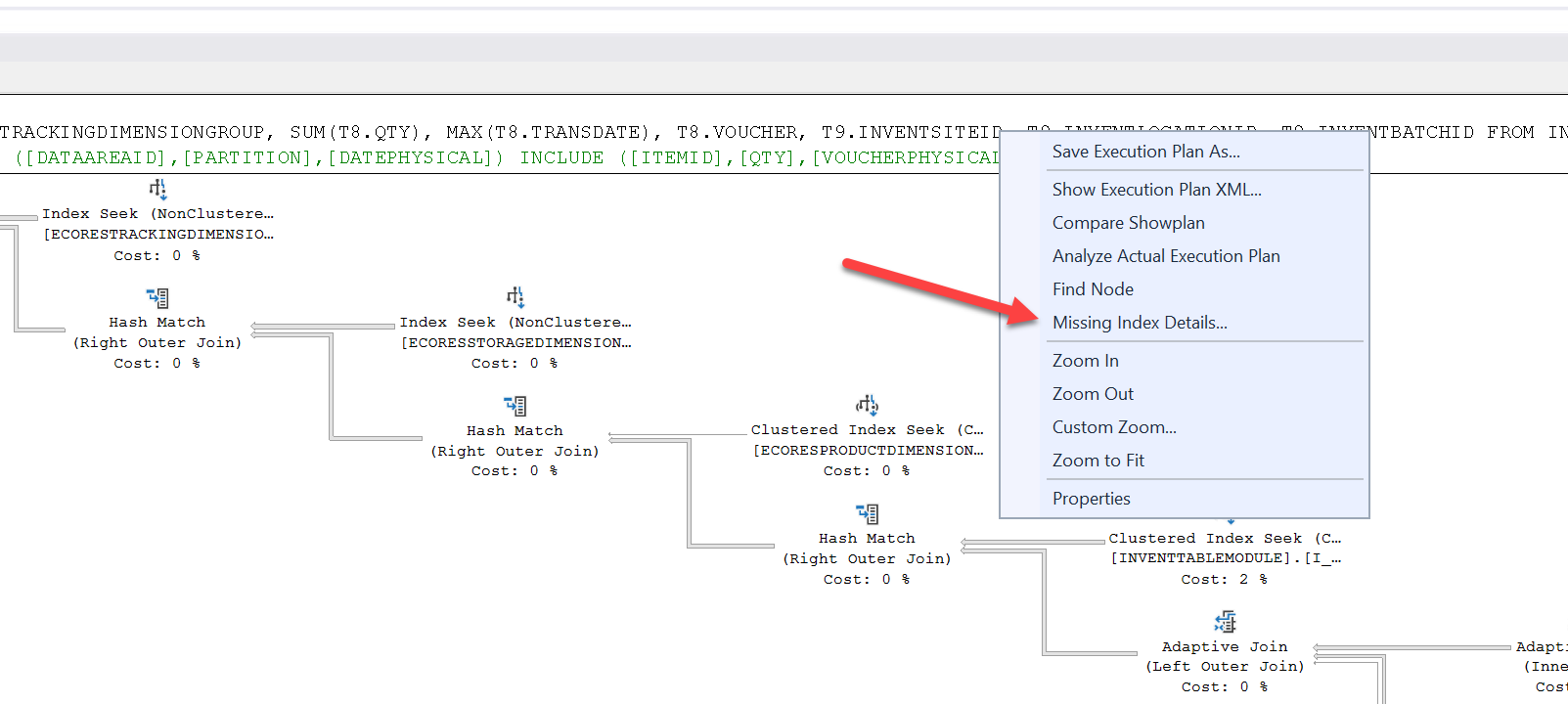
- Right click on the index text part and select Missing index details…
- Here you can see we found a missing index that can save us over 45% of the execution time!
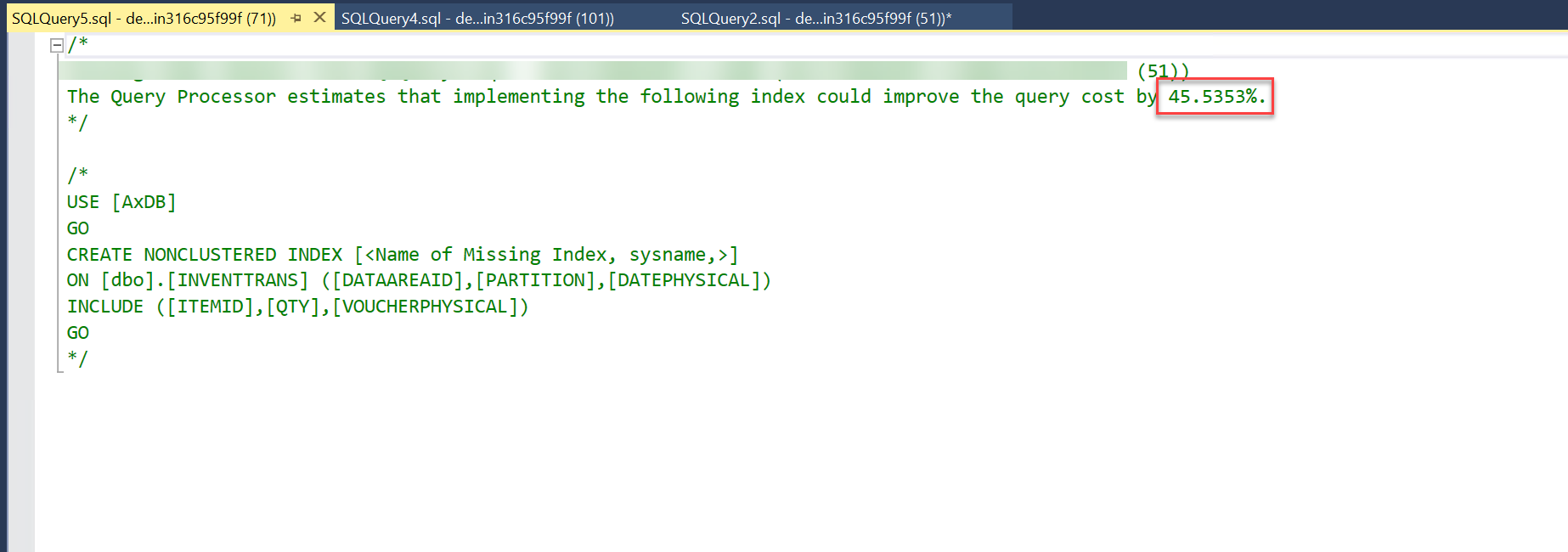
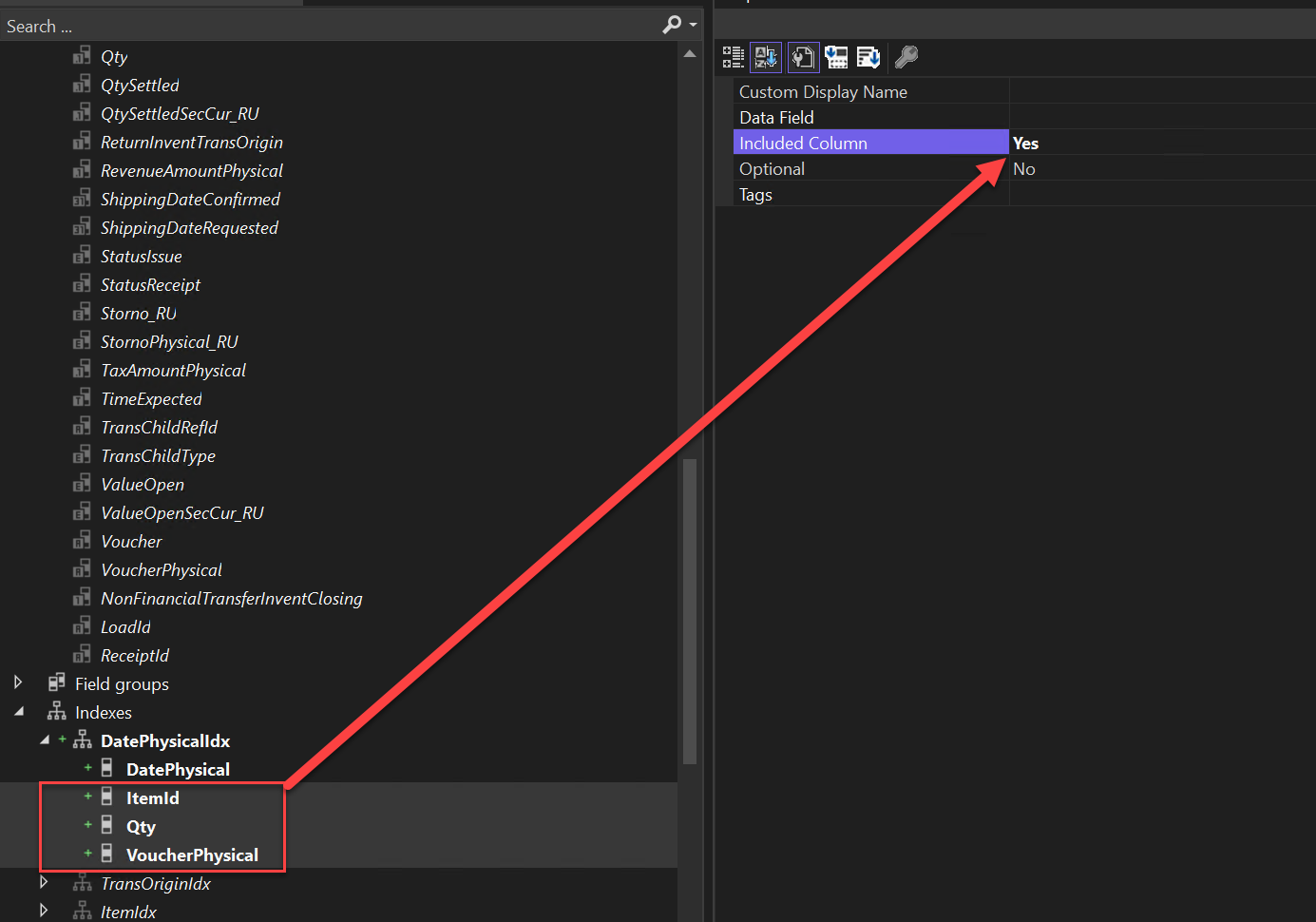
- Now you can apply the suggested index in Visual studio.
Here I am applying the include on ItemId Qty and VoucherPhysical as suggested by SQL Server.
That’s it for today!
Happy Daxing!
Hichem
