
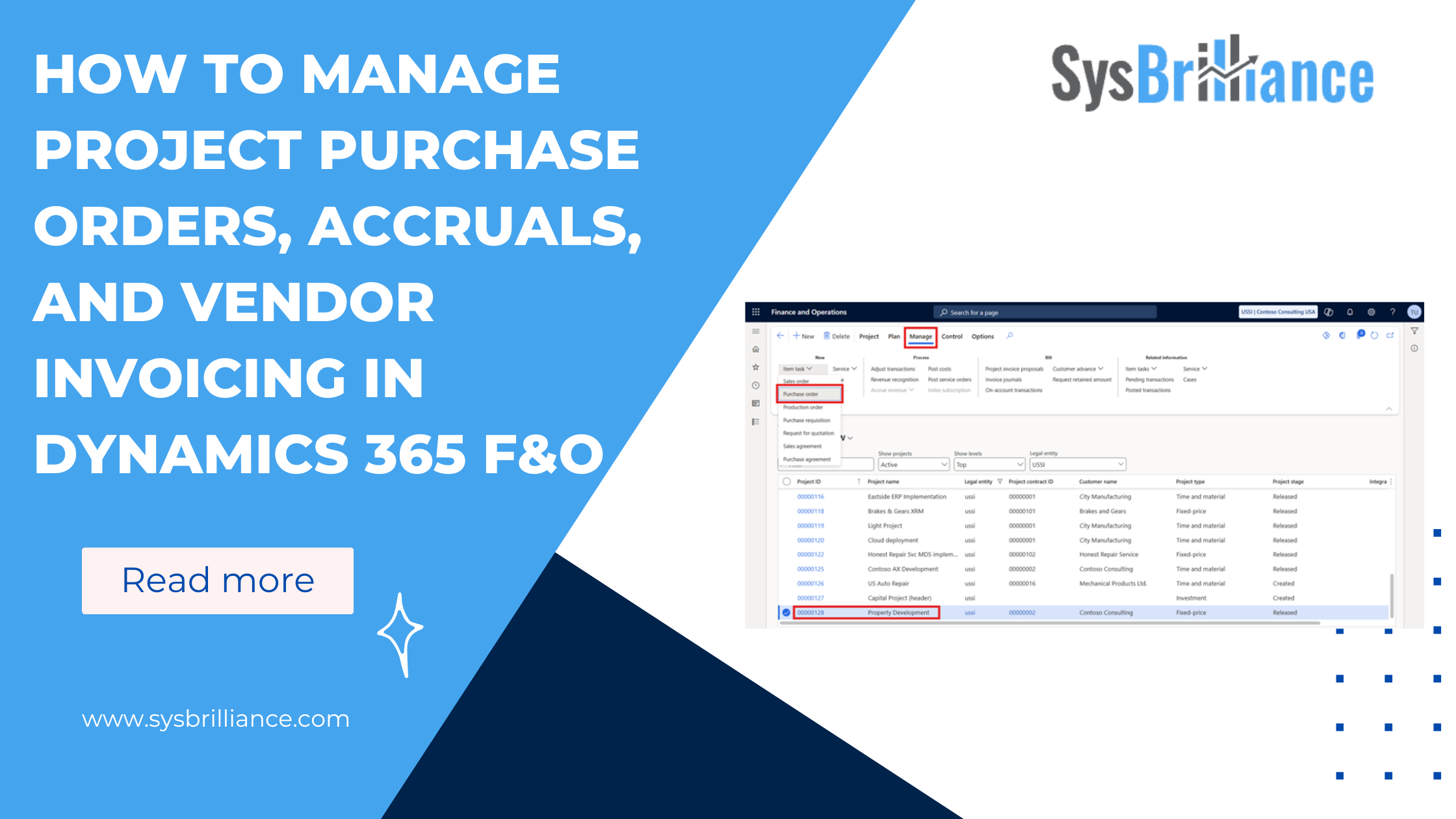
Previously, we covered how to build out a project’s WBS, set budgets, and configure time entry rules.
Managing procurement is one of the most important parts of the project management process, especially when multiple vendors, materials, and delivery timelines need to be coordinated. In project-driven industries, delays in cost recognition or invoicing can affect cash flow, budget accuracy, and overall project performance.
Dynamics 365 F&O provides a structured, end-to-end workflow that links purchase orders, product receipts, cost accruals, and vendor invoicing directly to projects. This ensures that operational activity flows immediately into financial reporting, giving project managers, procurement teams, and finance leaders a clear view of what the project is really costing.
Below is a practical walkthrough of how project procurement works in Dynamics 365 F&O, ensuring your project budgets are accurate, your financials are aligned, and your customer billing is on schedule.
Creating Purchase Orders for a Project
Project teams in Dynamics 365 F&O can create purchase orders in two ways. The method used determines when the cost is consumed and when it appears on the project.
You can create a PO:
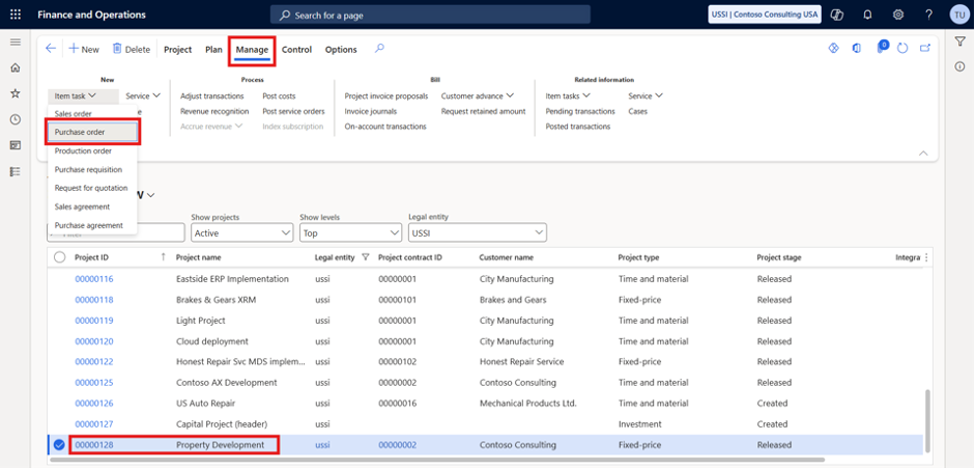
1. Directly from the Project
- Ideal when purchasing items specifically for project use
- The project reference is automatically applied
- Goods and services can be received and posted via a Product Receipt
2. From the Project Purchase Order Workspace
- Navigate to the PO list and select both the vendor and the project
- Vendor invoices can later be generated through:
Invoice > Generate > Invoice
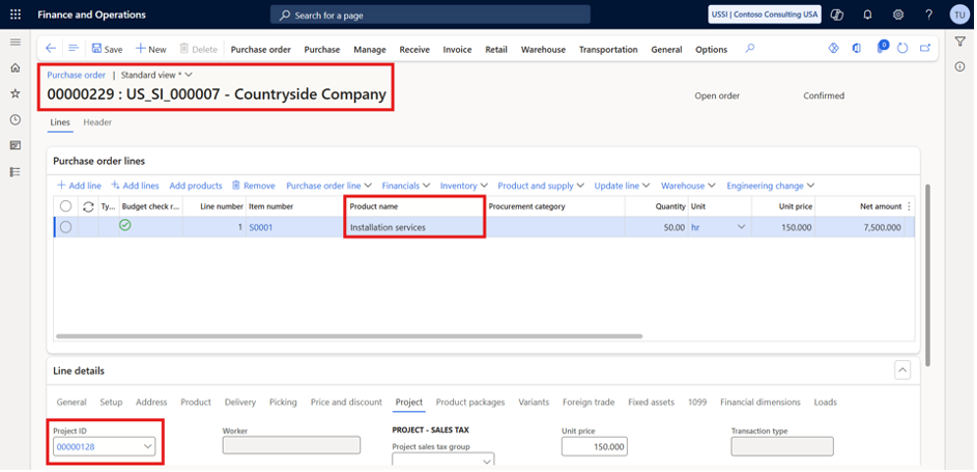
Once the vendor invoice is posted, the cost is recorded against the project. This keeps the entire project management process aligned with procurement activities.
Project Cost Accrual on Purchase Receipts
Vendor invoices often arrive days or even weeks after goods are received. Waiting for an invoice delays cost visibility, affecting KPIs and customer billing. To avoid this, Dynamics 365 F&O supports project cost accrual.
To enable this process:
- Link procurement categories to project categories
- Activate Accrue purchase expense on receipt in procurement category policies
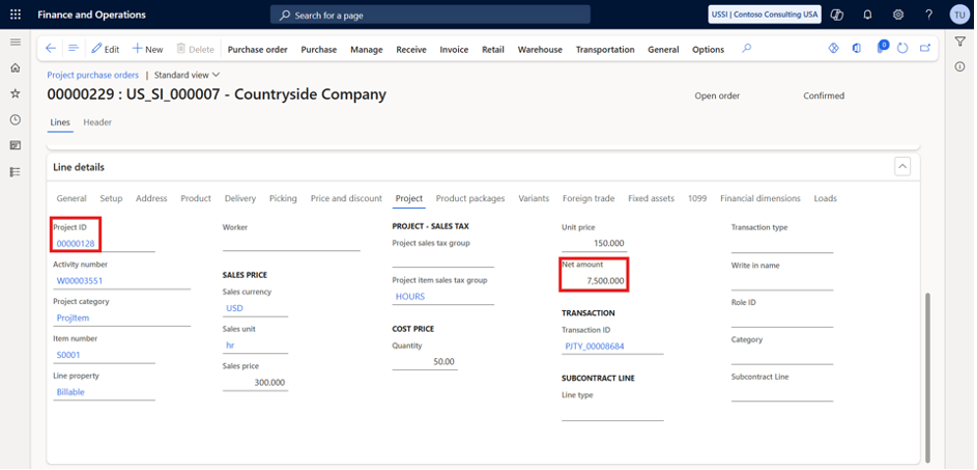
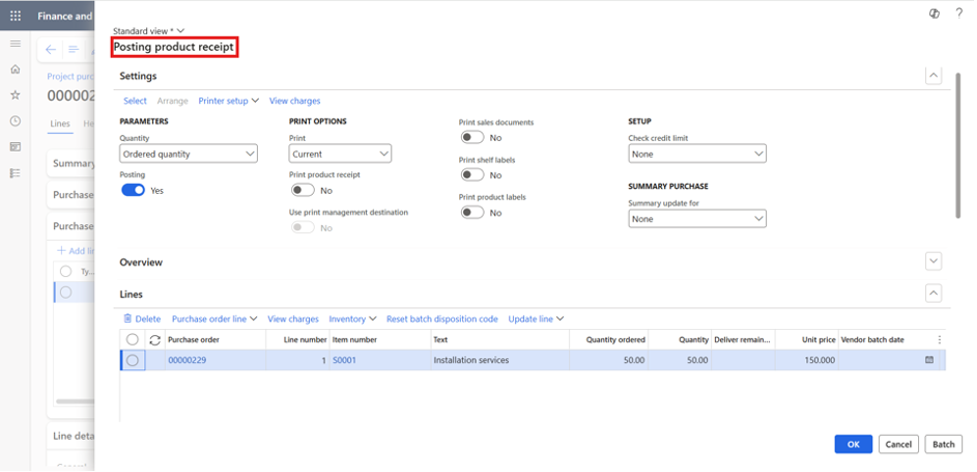
When a product receipt is posted:
- The project cost is recognized immediately
- Accrual entries update both the project and the financial ledger
- Teams can invoice customers sooner
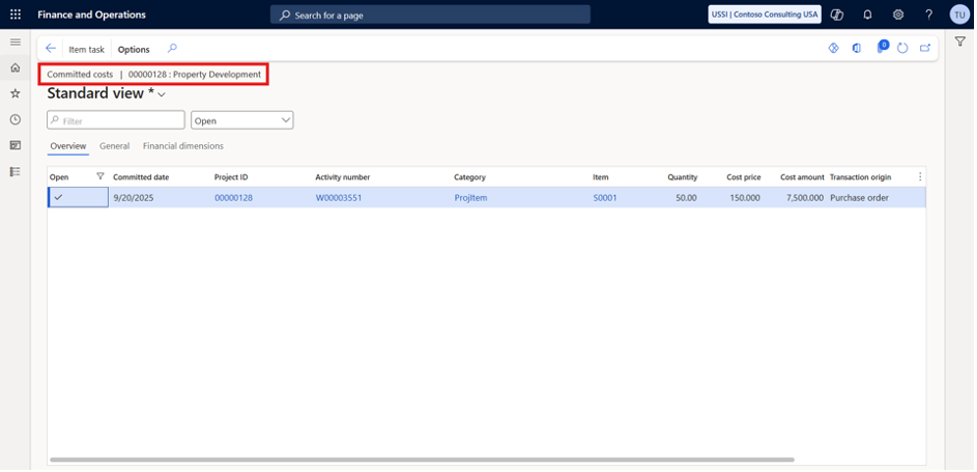
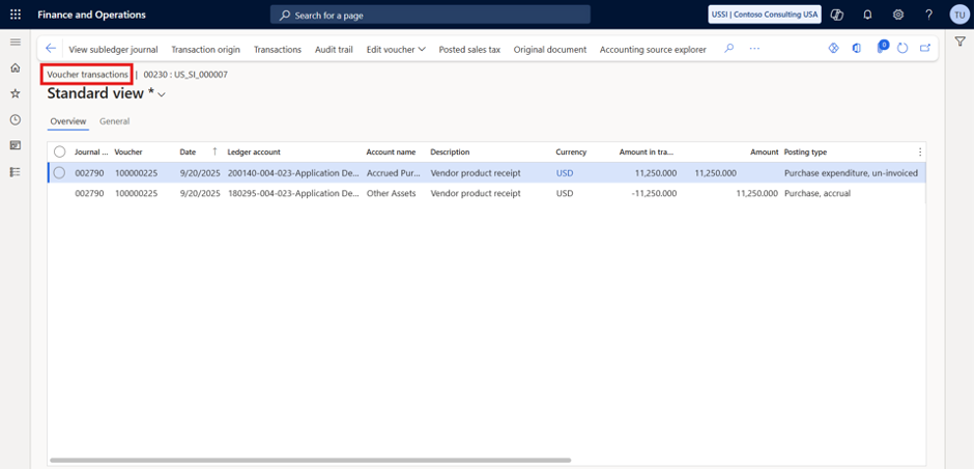
Posting logic includes:
- Debit: Purchase expenditure, un-invoiced
- Credit: Purchase accrual
Accruals ensure project costs reflect reality the moment materials arrive not when the vendor finally sends an invoice.
Vendor Invoicing
Vendor invoicing ties procurement back into project financials.
Steps:
- Create a PO and assign the correct project
- Set the line property:
- Chargeable – cost billed to the customer
- Non-chargeable – internal cost
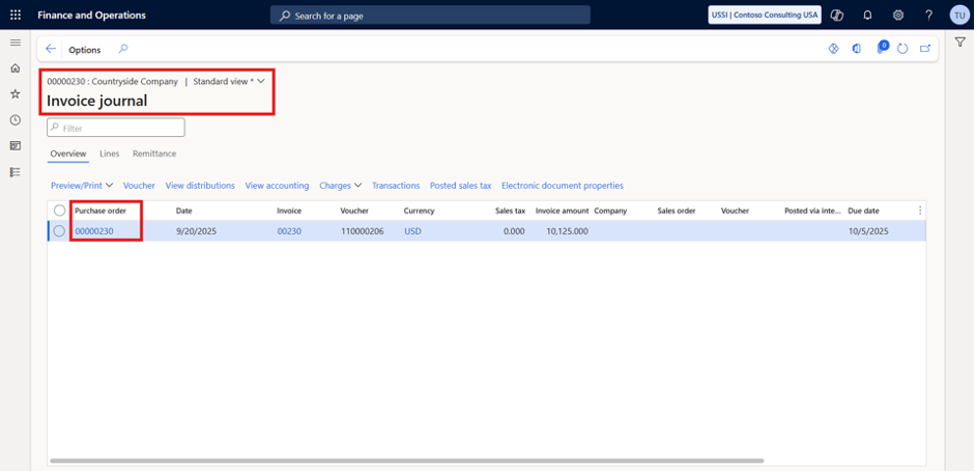
- Enter the vendor invoice in an invoice journal
- If chargeable, generate a project invoice proposal to bill the customer
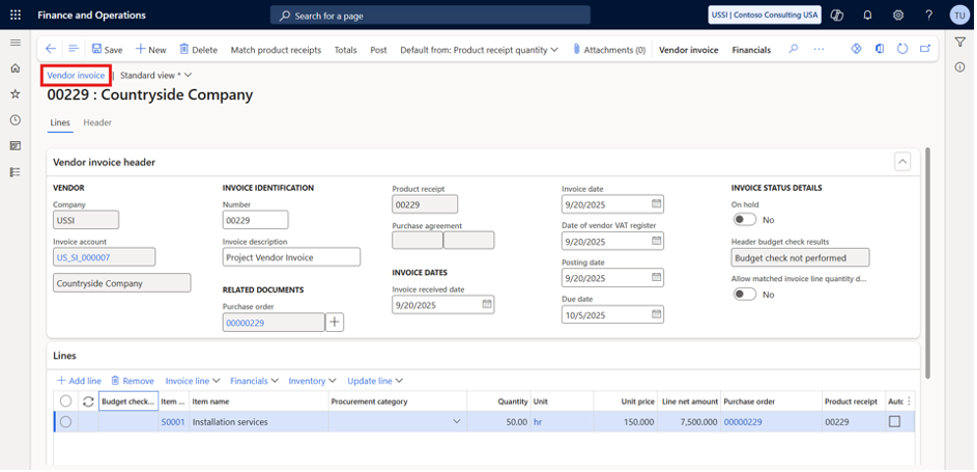
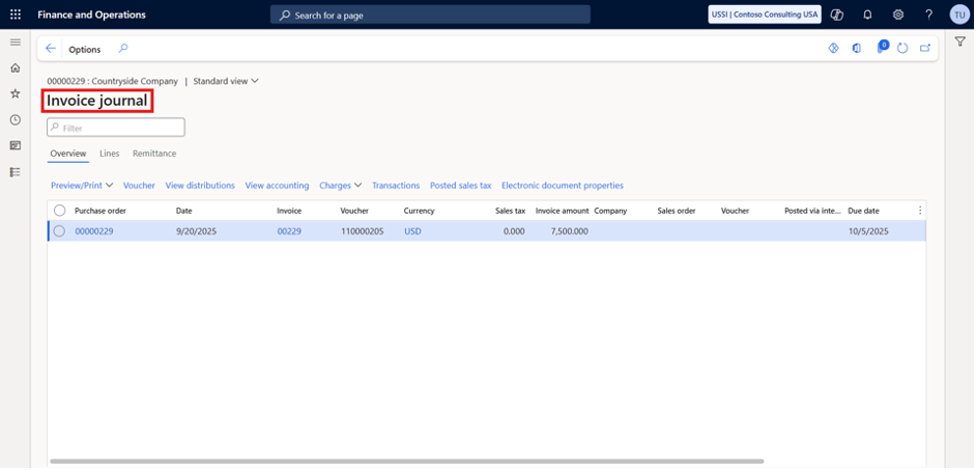
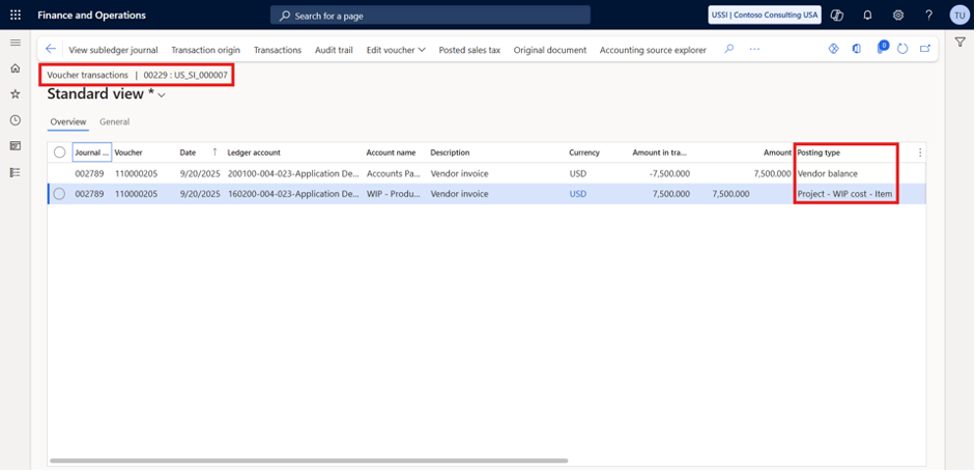
This ensures operational costs flow cleanly into customer billing and internal reporting.
Vendor Retention
For industries like construction, retention is essential for protecting project quality and ensuring vendor performance.
Dynamics 365 F&O supports vendor retention by:
- Defining retain/release percentages
- Applying retention terms to project vendor agreements
- Automatically withholding retention amounts during vendor invoice posting
- Releasing the retained amount only when the project milestone is reached
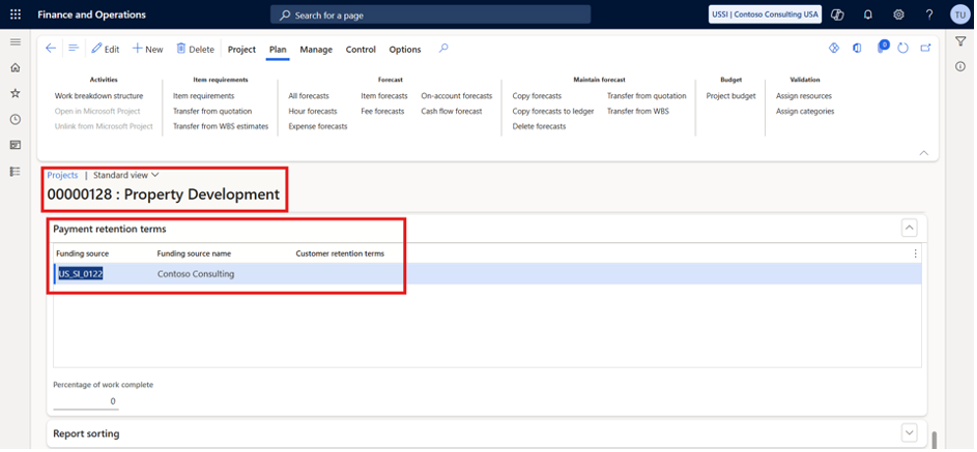
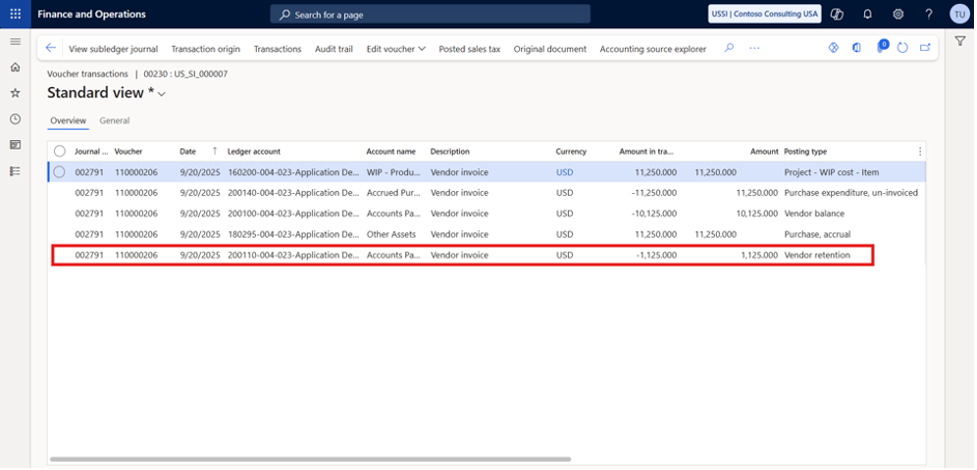
This strengthens cost control and ensures vendors deliver according to the agreed project timeline.
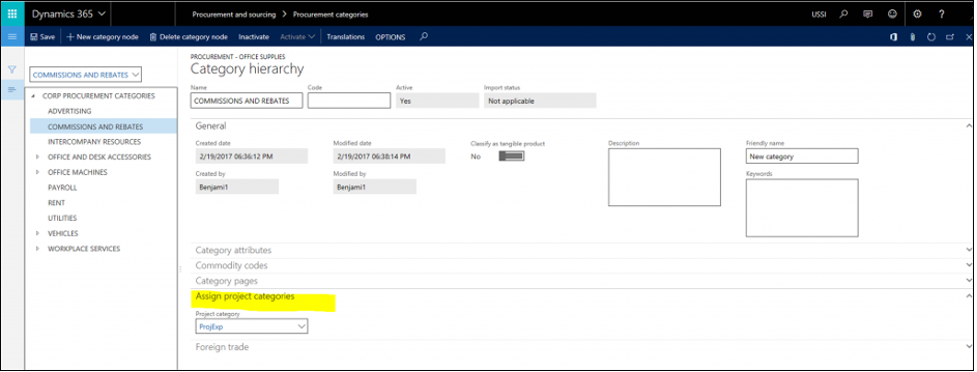
Steps to Accrue Costs on a Product Receipt
1. Create a Purchase Order
Select a procurement category mapped to a project category.
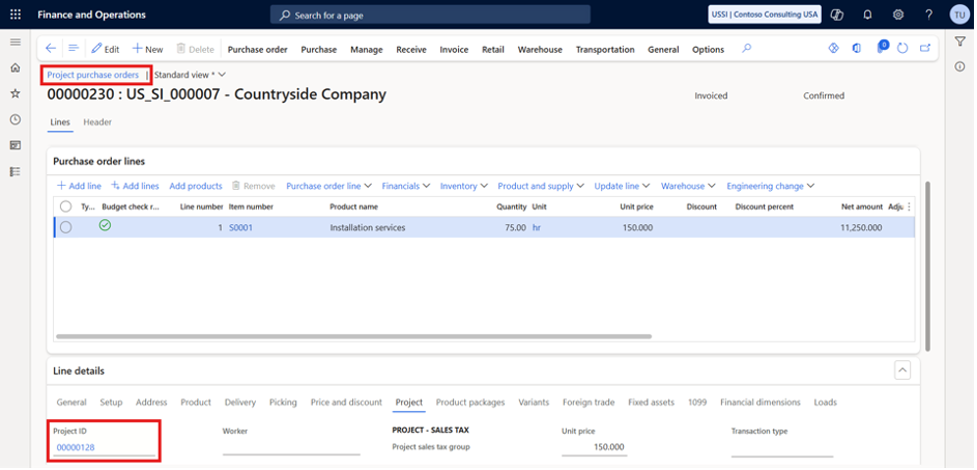
2. Confirm the Purchase Order
Creates the committed cost transaction.
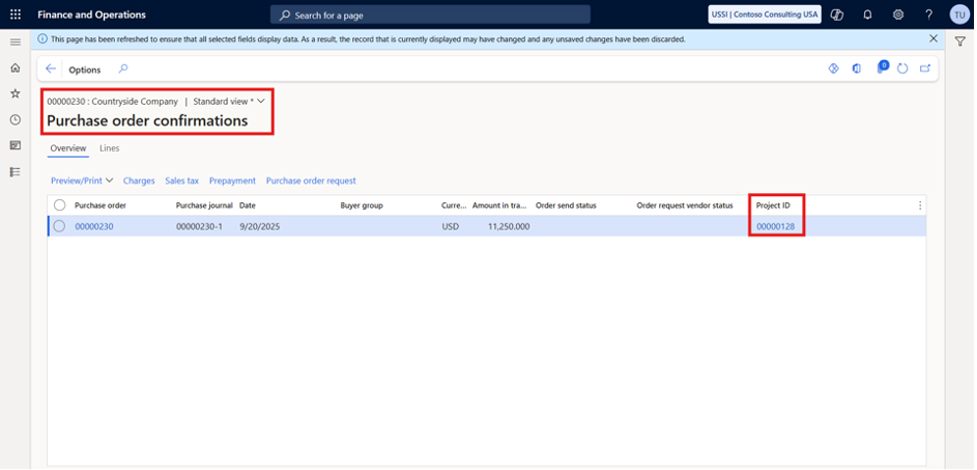
3. Post the Product Receipt
Actual cost is recognized at this stage before vendor invoicing.
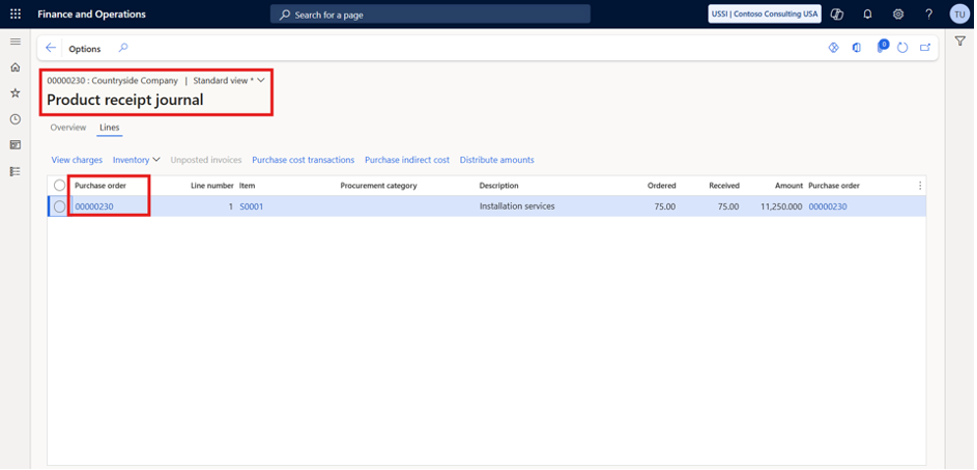
4. Invoice the Project
Because costs already exist in the system, customer invoicing can happen sooner.
Business Benefits
Implementing accruals and integrated vendor processing strengthens the entire project management process:
Timely Cost Recognition
Costs appear as soon as goods/services are received.
Faster Project Invoicing
Projects can invoice customers earlier, improving cash flow.
Better Cost Control
Budgets update in real time with accurate committed and actual costs.
Stronger Financial Reporting
Procurement activity, project data, and financials remain perfectly aligned.
Conclusion
Procurement plays a critical role in every successful project management process, and Dynamics 365 F&O gives organizations the structure they need to control it properly. By connecting purchase orders, accruals, vendor invoicing, and retention directly to project financials, teams gain real-time visibility, faster billing cycles, and more predictable project outcomes.
For companies managing complex, multi-vendor projects, these features help prevent cost surprises, strengthen forecasting, and ensure every expense is captured at the right time.
If your organization wants cleaner procurement processes, better cost visibility, and a fully connected project-to-finance workflow, the SysBrilliance team can help.We specialize in tailoring Dynamics 365 F&O to match your exact operational and financial needs so your projects stay on track, on budget, and fully aligned with real-time data.
Contact SysBrilliance today to streamline your D365 project procurement lifecycle.
Next, we explain how production orders work for project-based manufacturing, including cost tracking and invoicing.